
- Category
- Animation & 3D Modeling
- Pricing
- Freemium
- Alternatives
- 6 similar tools
- Last updated
- 2 weeks ago
- Source
- Official site ↗︎
AI Collection Top Picks

Animation & 3D Modeling Category Picks


About Tripo
Create free 3D models with Tripo AI — turn your text or images into high-fidelity 3D models instantly, ready for games, 3D printing and animation
Tripo's Pricing Plans
Tripo may change prices at any time. Here's our latest information:
Choose Your Plan
Basic
600 credits / Monthly
$0
≈25 Image-to-3D model
- Text-to-3D model generation with high-quality
- Image-to-3D model generation with high-quality
- Queue 1 Draft Model task
- Queue 1 Refine Model task
- GLB, FBX, OBJ, USD and STL export
- Community Support
Professional
3000 credits / Monthly
$19.9
≈120 Image-to-3D model
- Text-to-3D model generation with high-quality
- Image-to-3D model generation with high-quality
- Queue 10 Draft Model task
- Queue 5 Refine Model task
- Priority task queueing
- GLB, FBX, OBJ, USD and STL export
- Community Support
- Alpha features from TripoLab
Premium
25000 credits / Monthly
$139.9
≈1000 Image-to-3D model
- Text-to-3D model generation with high-quality
- Image-to-3D model generation with high-quality
- Queue 1 Draft Model task
- Queue 1 Refine Model task
- Priority task queueing
- GLB, FBX, OBJ, USD and STL export
- Community Support
- Alpha features from TripoLab
What you get
Additional Information
In today's digital age, 3D modeling has become an essential tool for various industries, from gaming and entertainment to architecture and product design. Creating a 3D model from photos is now easier than ever with advanced technologies like Tripo, an AI-powered 3D model generator. In this article, we'll explore how you can use Tripo to transform your photos into detailed 3D models effortlessly.
video
Table Of Contents:
- What is Tripo?
- Why Use Tripo for 3D Modeling?
- How to Make a 3D Model from a Picture Using Tripo: Quick Steps
- Tips for Best Results
- Applications of 3D Models Created with Tripo
What is Tripo?
Tripo is an innovative AI 3D model generator designed to simplify the process of creating 3D models from photos. Whether you are a professional designer, a hobbyist, or a student, Tripo offers an intuitive and efficient way to transform 2D image to 3D model without the need for extensive technical expertise.
Why Use Tripo for 3D Modeling?
- Ease of Use: Tripo's user-friendly interface makes it accessible to everyone to generate from photos to 3D models, regardless of their experience level in 3D modeling.
- Time-Saving: With AI-driven automation, Tripo significantly reduces the time required to create detailed 3D models from photos.
- Accuracy: Tripo's advanced algorithms ensure that the generated models are highly accurate and detailed, capturing even the smallest features of the subject.
- Versatility: Suitable for a wide range of applications, Tripo can be used in various fields such as virtual reality, augmented reality, product visualization, and more.
How to Make a 3D Model from a Picture Using Tripo: Quick Steps
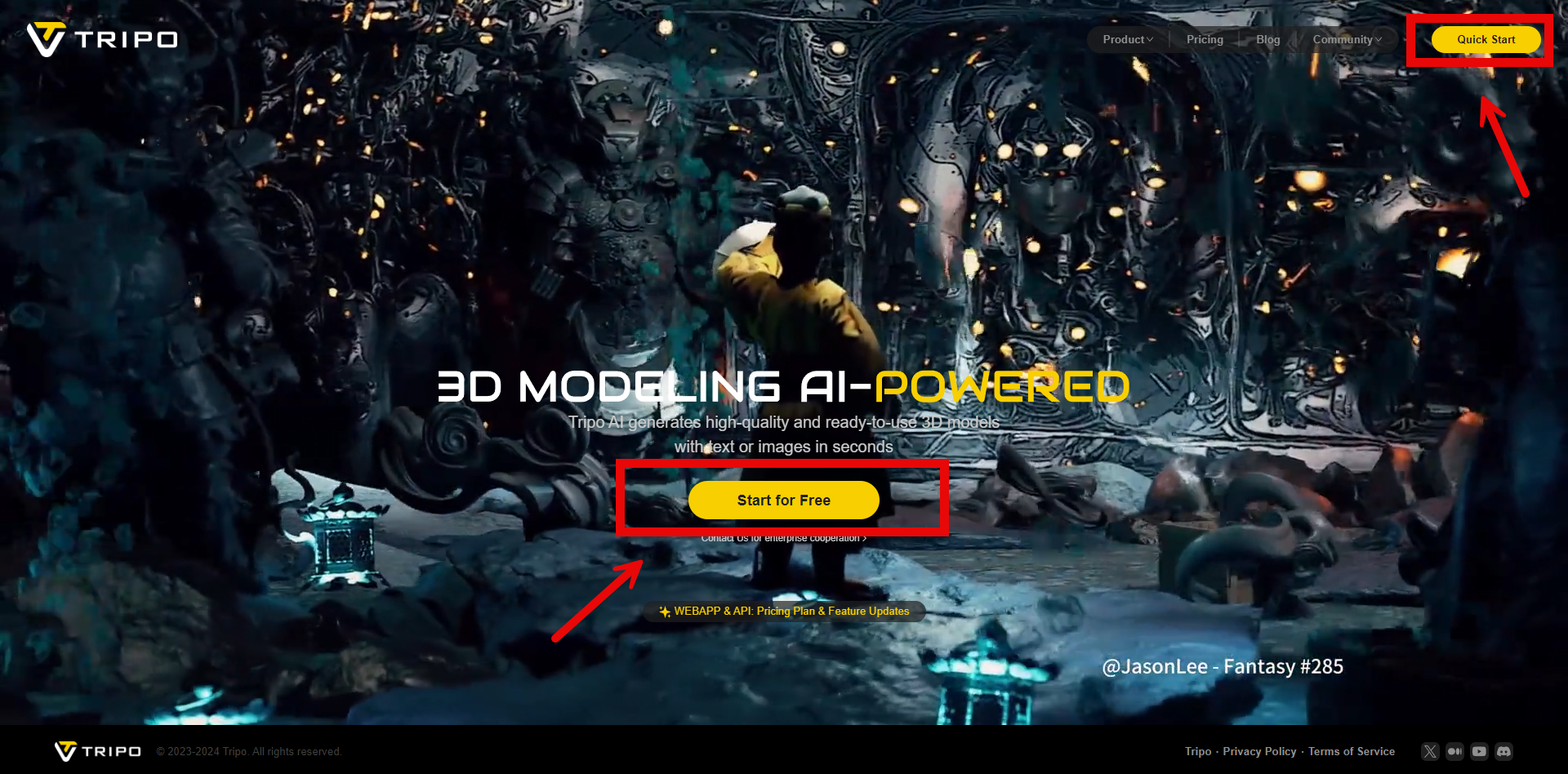
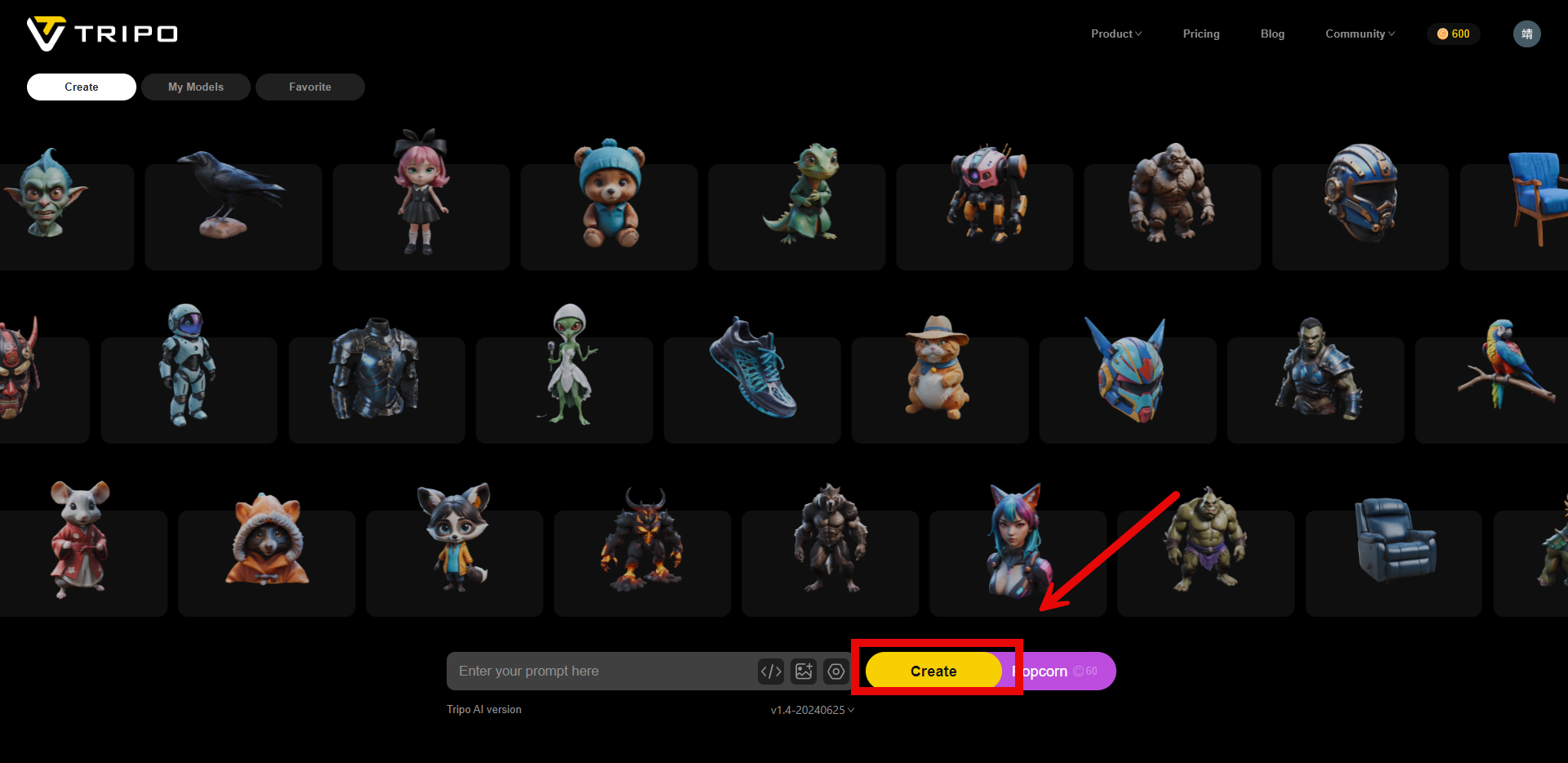
- Prepare Your Photos: Ensure you have a high-quality photo (File Size < 10 MB) of the object you want to model. Then head to the official website and start for free trial, or just simply click the quick start button on the top of this page.
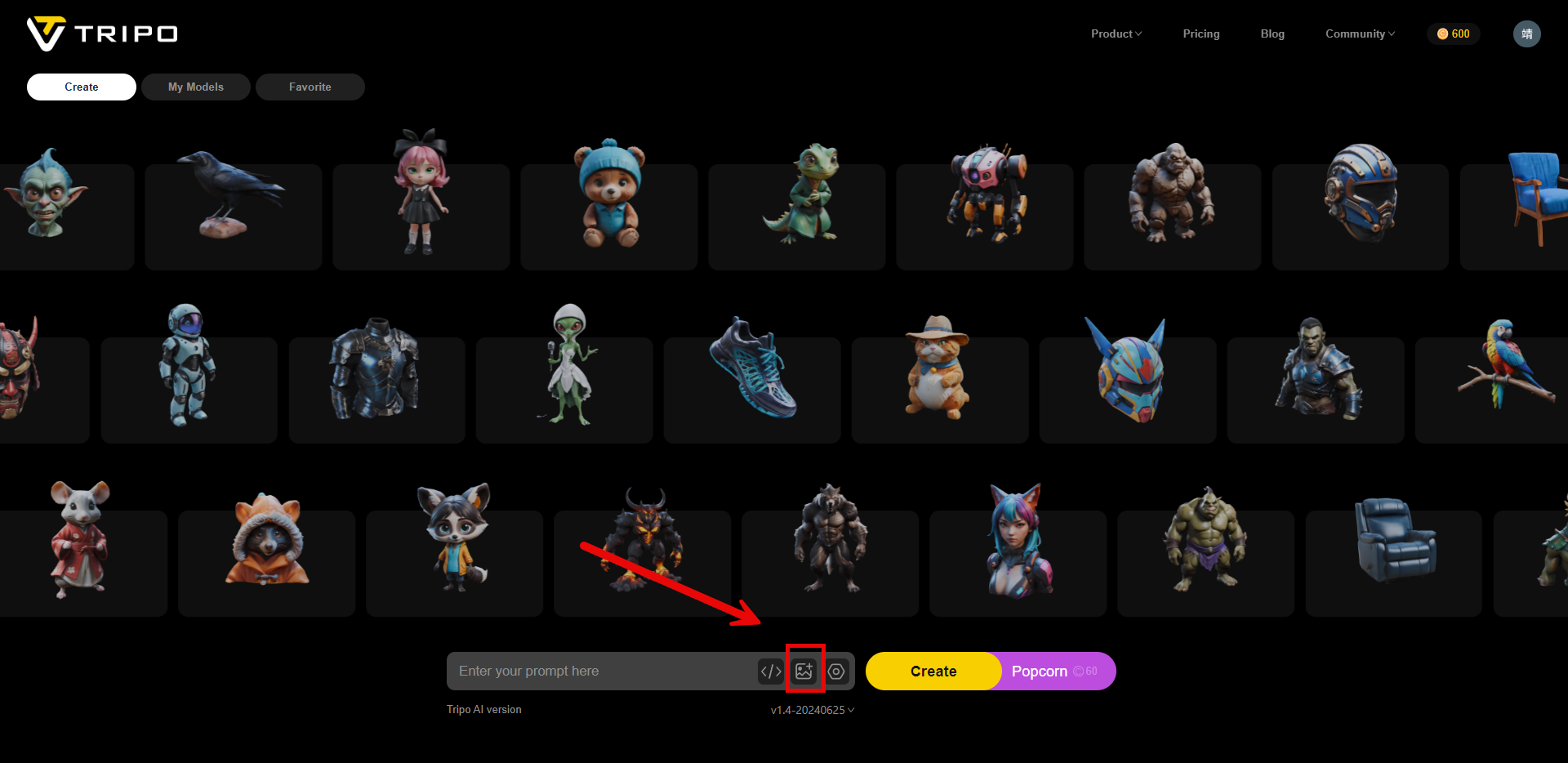
- Upload Photos to Tripo: Open the Tripo application and upload the photos. Tripo supports multiple photo formats, making it convenient to use images from different sources.
- Generate the 3D Model: Click on the 'Generate Model' button. Tripo's AI algorithms will process the photos and create a 3D model. This step usually takes a few minutes, depending on the complexity and number of photos.
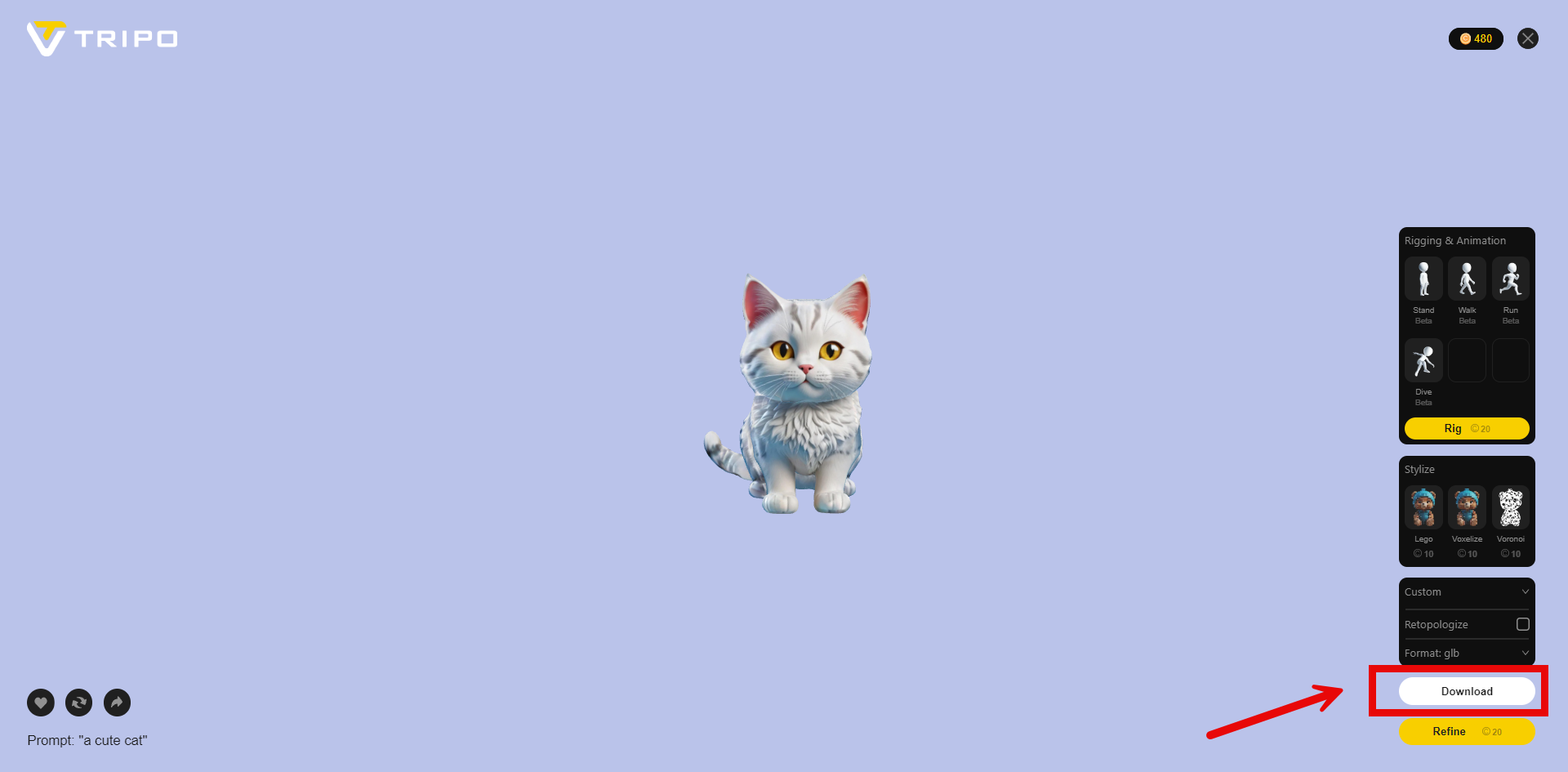
- Export the Model: After finalizing the model, export it in your preferred format. Tripo supports various file formats, making it easy to integrate the model into different software and applications.
To learn more about transforming text descriptions into detailed 3D models using Tripo, check out our comprehensive guide on the [Text to 3D Model] feature. This innovative tool allows you to convert simple text inputs into complex 3D models, further expanding your creative possibilities.
Tips for Best Results
- Use High-Resolution Photos: Higher resolution photos result in more detailed and accurate 3D models.
- Consistent Lighting: Ensure consistent lighting in your photos to avoid shadows and reflections that can affect the model's accuracy.
- 3D Texture Emphasis: Select photos that highlight the textural details of the object. A visible texture in the photos can help the AI better simulate the 3D feel of the model, enhancing realism and depth.
Applications of 3D Models Created with Tripo
- E-commerce: Make 3D model from photos of products to enhance online shopping experiences.
- Game Development: Use 3D models to develop realistic characters and environments.
- Architecture: Generate 3D models of buildings and structures for visualization and planning.
- Education: Create interactive 3D models for educational purposes, such as anatomy studies or historical artifacts.
Frequently asked questions
What is Tripo used for?
Tripo AI 3D model Generator | Text & Images to 3D in Seconds.Is Tripo free?
Tripo has a free tier; paid plans unlock additional features.What are alternatives to Tripo?
Where can I get Tripo?
Tripo is available at https://www.tripo3d.ai.What category is Tripo in?
Tripo is listed in Animation & 3D Modeling.
Compare Tripo with…
Pick any tool to see a structured side-by-side: pricing, deployment, capabilities, and content policy.


