The Best 8 Meeting Assistant for Summary in 2023
By: AI Collection
Imagine when you're in a meeting, and you have to do two important things at the same time.
First, you need to listen carefully to what the speaker is saying, and second, you must take good notes to remember all the important stuff. But it's tough to do both jobs simultaneously because you might miss a chance to ask good questions or forget to write down something really important for later.
In my experiences, it may cost you a deal with the clients. You may face troubles with your boss for letting deals slipping at your watch. It’s getting worse when you beat up yourself over and over again for letting this happen.
When it comes to in-person or online meetings. There are a number of AI tools that can be used to help with everything from recording the meeting to generating meeting notes and minutes.
What can an AI meeting assistant do?
Think of it like sidekicks to Zoom, Google Meet, or Microsoft Teams. They work together to make your meetings super productive.
Here are a few examples of how AI meeting assistants can help you in your meetings:
- Accurate transcription for you to review the whole conversation
- Video recordings so you can rewatch presentations
- Sharing snippets of the conversations to others
- Summaries that you can conveniently read in minutes
- Recaps for the follow-ups to moves needle in your business
We have compiled 8 excellent tools that will help you reap these benefits.
1. Wudpecker

Wudpecker is a completely free AI meeting tool, with a range of features that assists you throughout your meeting lifecycle.
Pros
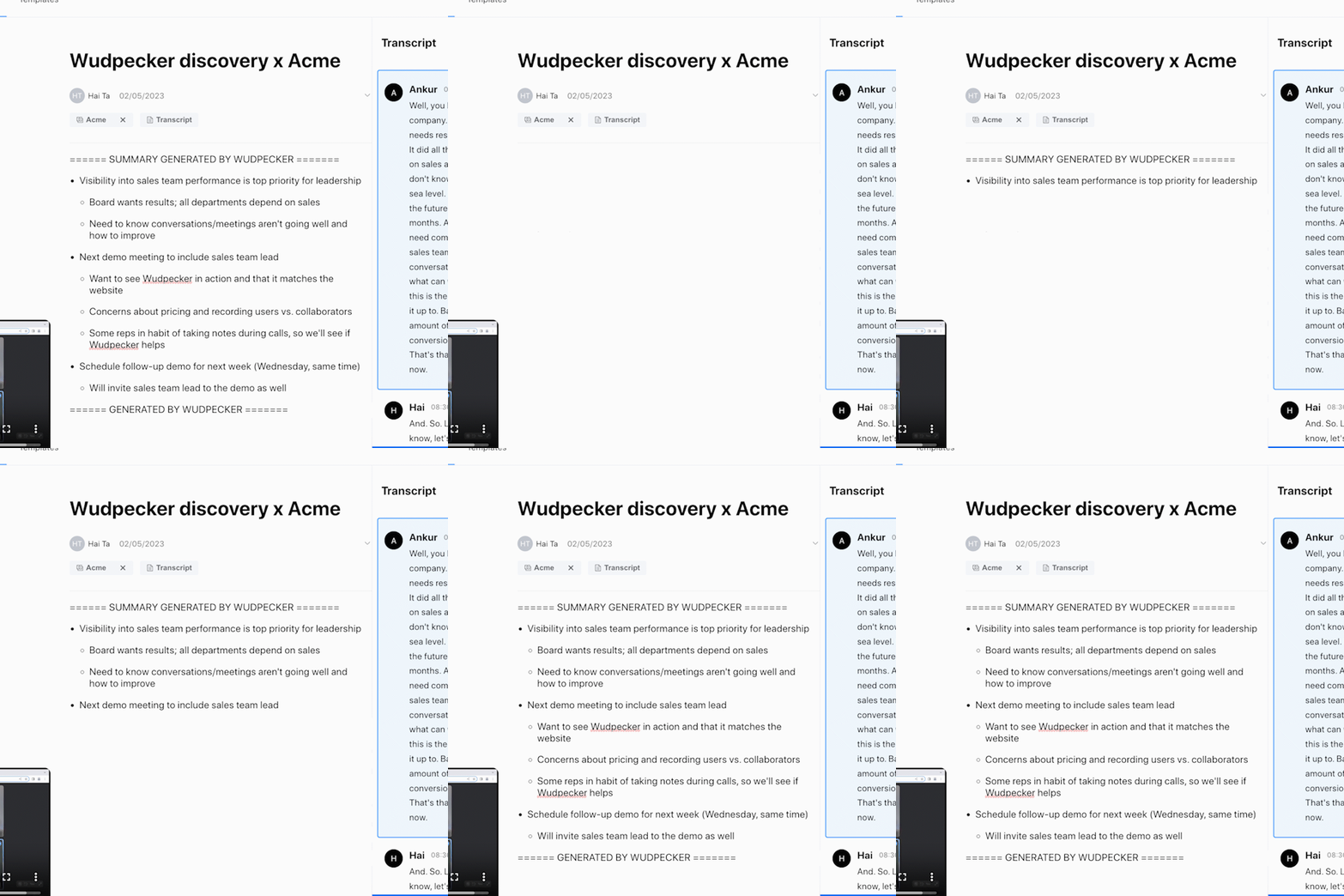
- Offers chatGPT-powered summaries and transcripts, making it easy to review meetings and find important insights quickly.
- Supports 100+ languages
- Has a dynamic multi-language detection so different languages can be spoken and the transcript recognizes it
- Records calls for later reference and sharing with remote team members
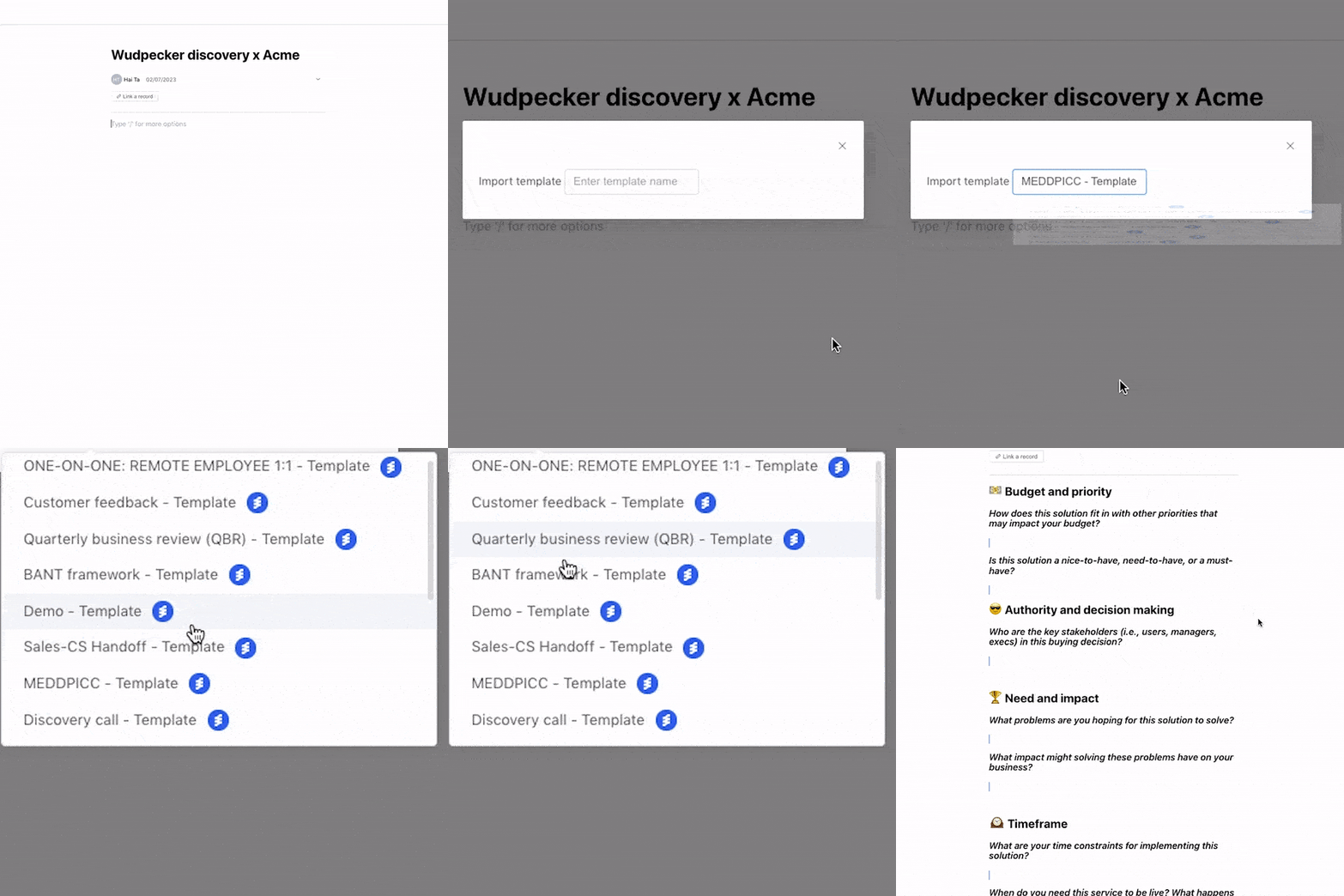
- Has an intuitive note-taking interface that suggests bullets, headings, and questions as you type
- Allows users to easily share recordings, making it easy to collaborate
- Recognizes speakers during the meeting and separates their dialogue in the transcript, making it easy to follow along and attribute comments to the correct person
- User-friendly and easy to onboard
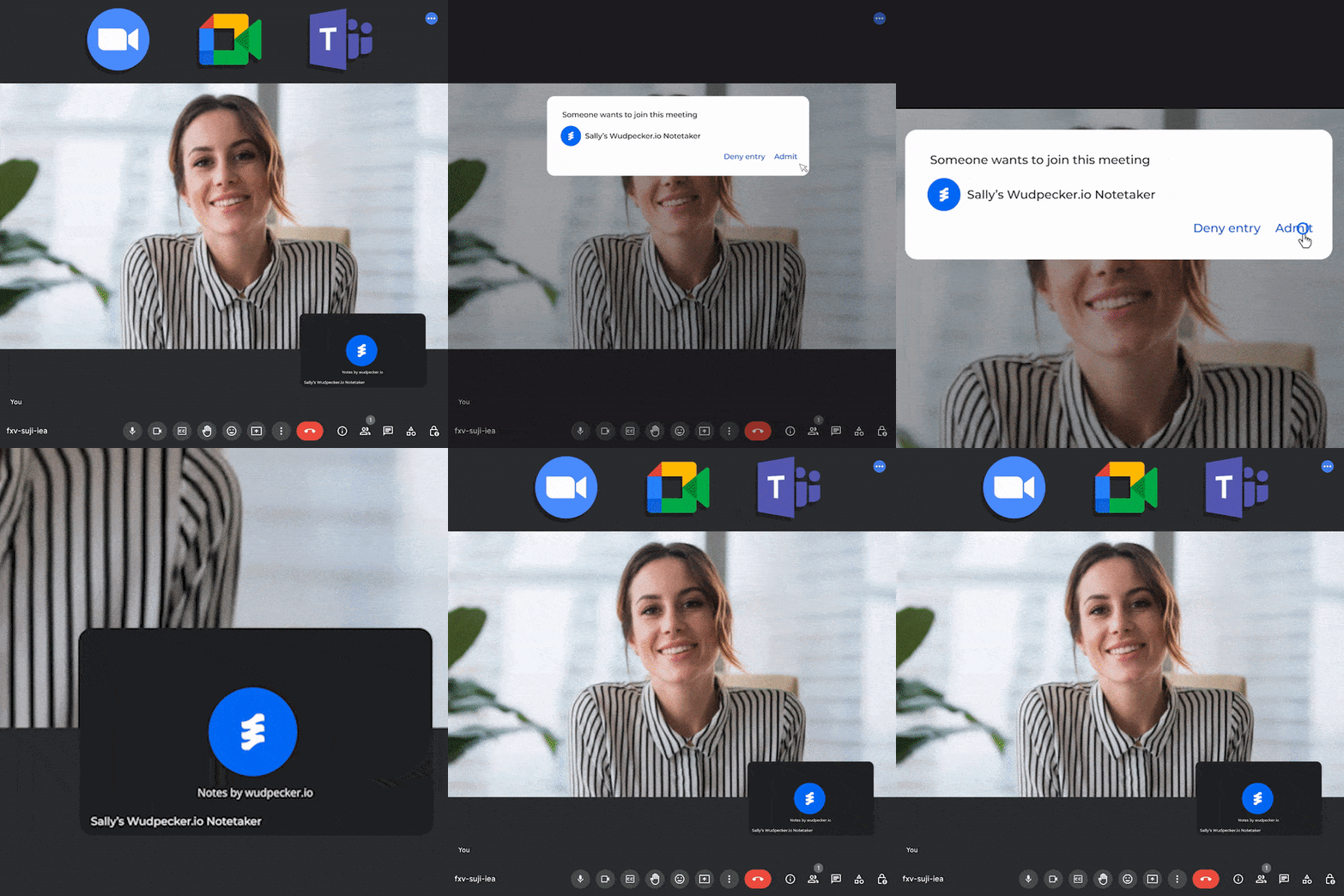
- Can be used for meetings on Zoom, Teams, and Google Meet
- Includes time markers in the transcript, allowing users to jump to specific parts of the recording with ease.
- Provides quick access to the recording and transcript after the meeting for efficient review and analysis.
- Offers a FREE version with all the features
Cons
- Not for users who doesn’t want a notetaker in the call
Pricing
- Wudpecker is completely free for individuals to record unlimited meeting
See more details on Wudpecker on AI Collection: https://www.thataicollection.com/en/application/wudpecker/
2. Jamie

meetjamie.ai is a AI-powered audio recorder that runs as an application on your computer, instead of sending a bot in.
Pros
- Available in 15 languages (including accents)
- Have AI summaries
- Focus on great meeting notes and action items instead of long meeting transcripts
- Works on all meeting platforms
- Meeting highlight
Cons
- No video recording
- No templates
- No intuitive interface for notetaking
- No notetaker joining your call to signal to participants that the call is being recorded
- Has to be installed as an application on your computer
See more details on Jamie on AI Collection: https://www.thataicollection.com/en/application/jamie/
3. Avoma

Avoma offers AI meeting notes as part of a more comprehensive sales intelligence tool.
Avoma's main features are:
- Scheduling, Agenda Templates and collaboration
- Automatic video and audio recording and transcription
- Live bookmarking during your calls, so you can remember what was important
Pros
- Ability to track keywords across different calls
- Snippet can be created from meetings
- Integration into CRMs for sales professionals to share information
Cons
- Focus lies on transcription and analysis of conversations rather than providing AI driven meeting notes and summaries of what has been mentioned
- Avoma only supports English
- No intuitive interface for notetaking
Pricing
- Avoma has a few plans starting from free to $79/user/month
See more details on Avoma on AI Collection: https://www.thataicollection.com/en/application/avoma/
4. Fathom

Fathom is a Zoom-only AI meeting tool. With Zoom itself backing the tool, power-users of this platform can be guaranteed with a great user experience.
Pros
- Seamlessly integrates into Zoom and can be used to generate great transcripts
- Fathom is currently completely free for individuals
- Highlights questions during the conversation
Cons
- No automatic AI meeting notes or summaries
- Only available for Zoom
Pricing
- Fathom has a free plan, and a Teams Edition plan.
See more details on Fathom on AI Collection: https://www.thataicollection.com/en/application/fathom/
5. Otter

Otter.ai is an established player in the transcription niche. You can count on Otter’s reliability.
Pros
- Real-time transcription during meetings
- Customizable and editable transcriptions with time markers and highlights
- Integration with popular apps like Zoom, Dropbox, and Microsoft Teams
- Ability to share transcriptions with team members for collaboration
- AI-powered features like speaker identification and keyword search
- Works with Google Meet, Zoom and Teams
- Learns custom vocabulary
Cons
- No video recording
- No templates
- No intuitive interface for notetaking
- Only supports English (U.S. and U.K.) and regional accents
- Limited free version
Pricing
- Otter starts at $16/user/month
See more details on Otter on AI Collection: https://www.thataicollection.com/en/application/otter/
6. Fireflies.ai

Fireflies.ai is a tool that helps your team record, transcribe, search, and analyze voice conversations.
Pros
- Integrates with a variety of platforms and tools
- AI-powered transcription and summary features
- Analyzes data of interactions
- Customizable workflows and automation
- AI-chatbot helping in tasks
Cons
- No templates
- No intuitive interface for notetaking
Pricing
- Fireflies has a limited free plan, and pro plan starts at $17/user/month
See more details on FireFlies on AI Collection: https://www.thataicollection.com/en/application/fireflies/
7. Tl;dv

tl;dv is a tool with a quirky name that stands for “too long; didn’t video”. They have a great presence on TikTok, but before we go there, let’s dive into its features.
Pros
- Tl;dv simplifies recording, transcribing, summarizing, and capturing key moments from meetings.
- The Free Plan offers unlimited recordings and access to various features without any cost.
- Compatibility with Google Meet and Zoom makes it easy to capture virtual meetings.
- Transcription feature supports over 20 languages for added convenience.
- Users can set timestamps, highlights, create and share clips, and automate the recording process.
Cons
- No templates
- No intuitive interface for notetaking
Pricing
- tl;dv has a free plan, and a Teams plan that is $20/user/month
See more details on Tl;dv on AI Collection: https://www.thataicollection.com/en/application/tl;dv/
8. Sembly AI

Pros:
Record and capture important details during the meeting
Generate action items automatically for next steps
Simple integration to Zoom, Google Meet, Teams and other meeting conference
Cons:
Some users might find the interface a bit complex and require time to get used to the system
Pricing:
Sembly's offers a free trial, and then pricing starts at $10 per month per user, and at $20 per month for a team. It goes up for enterprise level
See more details on Sembly AI on AI Collection: https://www.thataicollection.com/en/application/sembly-ai/
Still struggling to decide the best tool for you?
When deciding which one to go for, it's important to check a few things:
- Do I want to run meetings with clear agenda?
- Do I want video recording as well?
- Do I want quality summary?
- What are my language requirements?
Meeting agenda template
If you want to have not just the meeting summary, but a tool where you can also plan your agenda, then only Wudpecker currently has the functionality.
Video recording
Some tools only focus on audio recording, like Otter or Jaime. But if you want to get the reaction of participants, then go for:
- Wudpecker
- Fathom
- Avoma
- tl;dv
- Fireflies
Quality summary
All of these tools have developed their model for summary. To really assess the quality, you would have to try for yourself. Wudpecker leverages directly the well-known GPT model. So you can count on the quality of the summary.
Language
Some tools like Otter go really deep into English and the customization of the vocabulary. But then if you have a multi-lingual team or if you are multi-lingual yourself, then you might want to try:
- Wudpecker (30+ languages including Arabic, Bulgarian, Bengali, Bosnian, Cantonese, Croatian, Catalan, Czech, Danish, Dutch, English, Finnish, French, German, Greek, Hungarian, Italian, Japanese, Korean, Latvian, Lithuanian, Malay, Mandarin, Norwegian, Persian, Polish, Portuguese, Romanian, Russian, Slovak, Slovenian, Spanish, Swedish, Thai, Vietnamese, Turkish, and more).
- Wudpecker can also detect and transcribe multiple language in the same meeitng.
- Meetjamie (15+ languages including English, German, Spanish, French, Italien, Portuguese, and Dutch)
Conclusion
Hopefully, this article has shed some more light on the state of AI meeting tools for you. Go ahead and try out the ultimate AI assistant that will supercharge you meeting productivity!
Published on: October 18, 2023