
- Category
- Image Upscaler
- Pricing
- Paid
- Alternatives
- 6 similar tools
- Last updated
- 2 weeks ago
- Source
- Official site ↗︎
AI Collection Top Picks

Image Upscaler Category Picks

Online AI Image Enhancer that Improves Photo Quality by Upscaling, Denoising, Restoring, Face Refinement, and More


About tensorpix
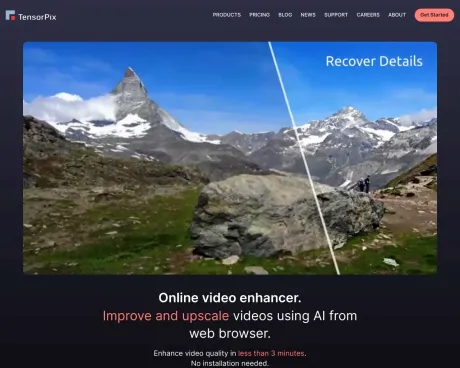
Enhance and upscale your videos or images online using AI in less than 3 minutes. Try for Free and without sign up. No installation needed.
tensorpix's Pricing Plans
tensorpix may change prices at any time. Here's our latest information:
Subscription plans
Free
€0
/mo
- Up to 2 AI filters per video
- 2 videos at the time
- Files are deleted after 7 days
- 10 uploaded and enhanced video slots
- No Free Previews
- Extra Credits
Standard
€11
/mo
- 25 new Credits / mo.
- Up to 3 AI filters per video
- 5 videos at the time
- Up to 1080p
- Files are never deleted
- 25 uploaded and enhanced video slots
Premium
€25
/mo
- 60 new Credits / mo.
- Up to 4 AI filters per video
- 10 videos at the time
- Up to 2K
- Files are never deleted
- 50 uploaded and enhanced video slots
Elite
€61
/mo
- 150 new Credits / mo.
- Up to 5 AI filters per video
- 15 videos at the time
- Up to QHD
- Files are never deleted
- 100 uploaded and enhanced video slots
What you get
Additional Information
TensorPix is an online platform that utilizes artificial intelligence to enhance and upscale video and image quality. This service is ideal for content creators, marketers, and anyone looking to improve their visuals without requiring high-end hardware. Users can enhance videos up to 4K resolution or enhance images with a few clicks.
One of the key benefits of TensorPix is its cloud-based processing, eliminating the need for local installations and enabling users with varied hardware capabilities to achieve high-quality results. The platform allows for various enhancement options, such as video compression, image generation, and project management through a user-friendly interface.
TensorPix also serves specific needs for professionals like film restoration specialists and social media managers, ensuring that older footage and images meet modern quality standards. The service is accessible from any internet-enabled device, making it convenient for users on the go.
Additionally, TensorPix provides a range of subscription plans, including a free tier, allowing users to choose a pricing strategy that fits their needs. All processed files are deleted after a set retention period, ensuring user privacy and data security.
Frequently asked questions
What is tensorpix used for?
Enhance Video and Image Quality Online | TensorPix.Is tensorpix free?
tensorpix is a paid product. See the Pricing section for current plans.What are alternatives to tensorpix?
Top alternatives to tensorpix include HitPaw Online Photo Enhancer, AVCLabs Photo Enhancer AI, AVC AI, Imgupscaler, AI Image Enlarger.Where can I get tensorpix?
tensorpix is available at https://tensorpix.ai/.What category is tensorpix in?
tensorpix is listed in Image Upscaler.Do you have a version that I can install on my computer and run locally?
We currently don't support on premise software installation. Our framework utilizes Deep Neural Networks that are very heavy on the computer resources. Because of that, one should have a powerful (and expensive) GPU card in order to run our software in reasonable time.
Without a proper GPU, processing times for just a minute of SD video can be tens of hours or more. Furthermore, local installation is usually limited to processing one video at the time, per GPU. This isn't efficient if you want to enhance a large video archive.How does your tool compare to Topaz Labs?
The biggest difference is that Topaz Labs is an offline software that you install on your computer, while TensorPix can be used through web browser.
Because Topaz runs on your PC, it uses your hardware to process files. This becomes problematic if your PC isn't quite high-end (and most users don't have high-end computers). You can still use Topaz with a less powerful computer, but the processing speed will be heavily impaired, meaning you could wait for tens of hours for enhancing a mere couple of seconds of video.
On the other side, TensorPix sends all processing to cloud which has access to powerful GPU hardware. This way, every TensorPix user has access to high-end hardware and doesn't have to worry about their computer being too slow.
Using cloud resources has another benefit. Cloud resources can be easily scaled meaning you can process multiple videos/images at once, without worrying if your computer can handle it. You can't do that with Topaz as processing ONE video or image will utilize nearly 100% of your computer’s processing power.How much of a quality improvement can I expect?
The rule of thumb is - the better the quality aspect you're trying to fix in the source, the better the enhancement. E.g. if the source has severe compresssion artifacts that obscure a lot of details, it's hard to expect much improvement.
However, if the source only has moderate or low artifacting, the end result would be much better as it's easier to fix minor artifacts than heavy ones. The best thing is try enhancing a sample and see how it turns out (this is why we have Free Previews for videos).How fast is the enhancing process?
While the processing speed largely depends on the input file parameters such as resolution, framerate, and duration, you can expect the following:
A minute of SD video will take 5-10 minutes to enhance.
A single 2000x2000 image will process within few secondsDo you claim any copyrights on the uploaded or enhanced videos or images?
We don't claim any copyrights on uploaded or on enhanced videos and images. You can delete your files at any time. When you delete a file, we completely delete it from our servers.Is my data safe and who can see my data?
We have implemented rigorous technical and organizational security policies to protect your data. This includes, but it's not limited to:- Using military grade 256-bit AES encryption algorithm for all data stored on our servers
- Using long and random passwords for all access points
- Using 2 Factor Authentication where applicable
- Hashing all user account passwords
- Regularly updating all our systems in order to avoid software exploits and hacks
- Always giving users an option to delete ALL their data
- Automatically deleting any unnecessary data such as temporary files
- Restricting user data access to minimum number of authorized personel
- Educating all employees about best security and privacy practices
What Makes AI Enhancement Better Than Regular Video Editing?
AI enhancement is automatic and smart - you don't need to learn complicated editing software or spend hours adjusting settings. Traditional video editing requires technical knowledge and lots of manual work. AI enhancement uses intelligent algorithms that know exactly what improvements to make based on millions of examples. Just upload and wait - the AI handles everything automatically and usually produces better results than manual editing, especially for quality improvements.Do you train your AI models on user data?
No, our policy is not to use user data for training our AI models. We only use publicly available datasets and our own data to train the models. This means that your videos and images are not used to improve our AI, ensuring your privacy and security.What is Video Upscaling and How Does It Work?
Video upscaling is an advanced image processing technique that uses artificial intelligence to increase video resolution while preserving and enhancing visual quality. Our AI-powered video enhancement technology analyzes each frame using deep learning algorithms, intelligently filling in missing pixel data to transform low-resolution footage into crisp, high-definition content. The process reconstructs fine details, reduces compression artifacts, and sharpens edges to deliver professional-grade video quality enhancement.Who uses online video upscalers?
Video upscaling technology serves diverse professionals and content creators:
Content Creators & YouTubers use video enhancement tools to improve their archive footage and boost viewer engagement with crystal-clear visuals.
Digital Marketers & Agencies rely on AI upscaling to refresh older promotional videos for modern high-resolution displays and social media platforms.
Film Restoration Specialists utilize advanced upscaling algorithms to digitally remaster classic movies, documentaries, and historical footage.
E-learning Professionals enhance educational videos to ensure optimal viewing experiences across all devices and screen sizes.
Social Media Managers upscale user-generated content and older brand videos to maintain consistent visual quality standards.
Surveillance & Security Teams improve low-quality security footage for better identification and evidence analysis.What is Video Upscaling Used For?
Video upscaling serves multiple essential purposes in modern digital media:
Resolution Enhancement: transforms standard definition (SD) videos into high-definition (HD), Full HD (1080p), or even 4K ultra-high-definition formats.
Legacy Content Modernization: breathes new life into older video archives, making them suitable for contemporary viewing standards and devices.
Quality Improvement: eliminates pixelation, blurriness, and compression artifacts that degrade viewer experience.
Platform Optimization: ensures videos meet quality requirements for streaming platforms, social media channels, and professional presentations.
Production Value Enhancement: helps small businesses and independent creators achieve professional-looking results without expensive re-shooting.How to Upscale Video for Free?
With TensorPix, you can enhance approximately up to 5 minutes of video.Can I use the AI Video Upscaler on my phone?
Absolutely. TensorPix is mobile-friendly and works in your browser—no app needed. Since all processing happens in the cloud, your phone doesn't need to be powerful to get great results. iPhone, Android, iPad - they all work great. You can enhance videos directly from any device with internet connection.Is AI video upscaling better than traditional restoration?
AI video upscaling uses trained neural networks to recover missing details—something traditional editors can’t do. It's faster, smarter, and produces more realistic enhancements.
Compare tensorpix with…
Pick any tool to see a structured side-by-side: pricing, deployment, capabilities, and content policy.


