
- Category
- Translation & Transcript
- Alternatives
- 6 similar tools
- Last updated
- 1 weeks ago
- Source
- Official site ↗︎
AI Collection Top Picks
Translation & Transcript Category Picks

About Taption
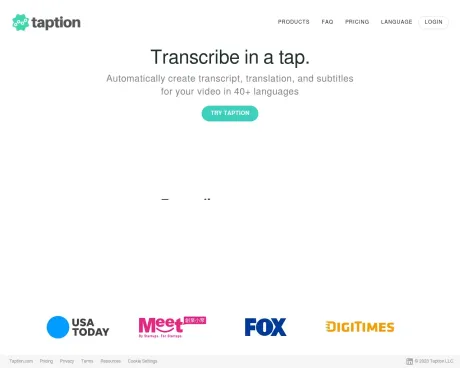
Taption provides AI-powered video transcription, subtitle generation, multilingual translation, and content analysis for 40+ languages. No installation needed.
Taption's Pricing Plans
Taption may change prices at any time. Here's our latest information:
Pricing
Pricing
- Register and try it out for free today!
What you get
Additional Information
Products
Convert video to text
Automated transcription for your video from your device, Youtube, Google Drive or Zoom
Add subtitles to your video
Automatically add captions or bilingual subtitles to your video
Translate video
Translate your video into 50+ languages.
Speaker labeling
Labeling speakers for your audio files
Convert your audio to video
Take your audio file and an image to convert into a MP4 video with captions
Collaborate with teams
Share account with user permissions management
Frequently asked questions
What is Taption used for?
Taption - AI video transcription and subtitle tool.Is Taption free?
Pricing for Taption varies — see the Pricing section for details.What are alternatives to Taption?
Where can I get Taption?
Taption is available at http://www.taption.com.What category is Taption in?
Taption is listed in Translation & Transcript.Convert video to text
Automated transcription for your video from your device, Youtube, Google Drive or ZoomAdd subtitles to your video
Automatically add captions or bilingual subtitles to your videoTranslate video
Translate your video into 50+ languages.Speaker labeling
Labeling speakers for your audio filesConvert your audio to video
Take your audio file and an image to convert into a MP4 video with captionsCollaborate with teams
Share account with user permissions managementHow to transcribe my video?
See tutorial video.How to add subtitles to my video?
See tutorial video.How to translate my video?
See tutorial video.How to increase accuracy by using the AI Dictionary?
See tutorial video.How to edit my video by editing text?
See tutorial video.Where can I view my receipts and invoices?
Once subscribed, you will be able to view and download them under Account → Invoices → View All.I have subscribed to a subscription plan, what can I do if I need more than the monthly minutes given?
When subscribed to Premium Subscription, you can purchase additional minutes at a discounted price of $6/hour. When subscribed to Bulk Subscription, you can purchase additional minutes at a discounted price of $3/hour.Transcript is not translating, how can I resolve it?
Please ensure that you selected the correct language when uploading the video. You should select the language matching the spoken language in the video.I uploaded a file less than 5GB, why do I get the message Video size too large?
The size limit of 5GB is based on MP4 format. When uploading a video with a format other than MP4, the converted MP4 may result in a size larger than 5GB. Please upload an MP4 format video less than 5GB to avoid this message.What do the error means and what can I do to resolve it?
Exceed trial usage: Please purchase minutes or subscribe to continue using the service. Not enough minutes: Purchase more minutes or subscribe then retry. Youtube link failed, please try again: The most common reason is the provided Youtube was uploaded recently, please wait at least 24 hours before trying to transcribe again.How to integrate Taption with Zoom?
Please see step-by-step tutorial.I have further questions, what should I do?
Please contact us at help@taption.com.What is Taption and what can I use it for?
Taption is a browser-based AI platform that turns video and audio into editable, time-coded text. Common uses include meeting minutes, interview transcripts, course captions, podcast show notes, and localized subtitles for YouTube and social video.How do I transcribe a video or audio file to text?
Sign in and follow four steps: Click Upload, choose a file, select the spoken language, and start the transcription. Most files finish within a few minutes.How do I automatically add subtitles or captions to a video?
Transcribe the video first, then open the subtitle view. Taption automatically splits the transcript into caption lines for correction.How do I translate a video or subtitles into another language?
Open a transcribed project, choose Translate, and select a target language. Translated subtitles will stay in sync with the video.What languages does Taption support for transcription and translation?
Taption transcribes 40+ languages and translates into 50+ languages including English, Mandarin, Japanese, and Spanish.How accurate is Taption's AI transcription?
Accuracy is typically between 90-98% depending on audio quality, background noise, and whether speakers talk over each other.Can Taption automatically identify different speakers in a recording?
Yes, Taption performs speaker diarization to detect speaker changes and labels transcripts accordingly.Can I edit subtitles and transcripts after they are generated?
Yes, everything produced by the AI is editable within the platform.Can Taption summarize and analyze videos with AI?
Yes, users can run AI Analysis to generate summaries and key takeaways from videos.What video and audio file formats does Taption support?
Taption supports formats such as MP4, MOV, AVI, WAV, and more for audio and video.
Compare Taption with…
Pick any tool to see a structured side-by-side: pricing, deployment, capabilities, and content policy.


