
insMind
AI Video & Image Generator & Editor for Marketing Content | insMind.
AI Collection Top Picks
Image Editing Category Picks


About insMind
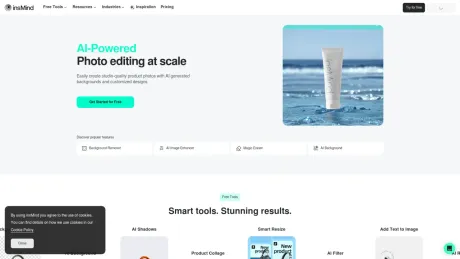
Create AI videos and images from text, photos, or references. Edit, enhance, remove backgrounds, and turn every idea into marketing-ready content with insMind Agent.
insMind's Pricing Plans
insMind may change prices at any time. Here's our latest information:
Pricing
Pricing
- insMind offers various tools and capabilities for AI-generated content creation, but specific pricing details were not provided.
What you get
Additional Information
Frequently asked questions
What is insMind used for?
AI Video & Image Generator & Editor for Marketing Content | insMind.Is insMind free?
Pricing for insMind varies — see the Pricing section for details.What are alternatives to insMind?
Top alternatives to insMind include ProductScope AI, PicTools.AI, AI Photos Editor, AVCLabs PhotoPro AI, Fotor.Where can I get insMind?
insMind is available at https://www.insmind.com/.What category is insMind in?
insMind is listed in Image Editing.What is insMind?
insMind is an all-in-one AI platform for image and video creation. Generate images, create videos, enhance quality, remove backgrounds, and more—with a comprehensive suite of tools designed to produce high-quality visuals effortlessly. Whether you're working on personal projects or professional content, insMind helps you create stunning results—fast, simple, and hassle-free.Is insMind suitable for beginners?
Yes, insMind is designed to be user-friendly, making it suitable for both beginners and professionals. Its intuitive interface and powerful AI tools enable users to create high-quality designs without prior design experience or learning costs.How can I get started with insMind?
Getting started is easy. Just open insMind in your browser, choose the tool you need, and enter a prompt or upload an image. It's beginner-friendly and takes only a few seconds.Do I need design or technical skills to use insMind?
No. insMind is built for everyone. Its intuitive interface allows anyone, even without design experience, to create professional visuals quickly.How is insMind different from other design tools?
insMind stands out as a one-stop solution for visual content creation. It combines image and video generation into one streamlined platform. From generating to enhancing and editing visuals, there's no need to switch between tools—everything you need is built into insMind. Compared to other solutions, insMind is faster, more flexible, and incredibly user-friendly. It's ideal for content creators, designers, business owners, and anyone looking to produce high-quality visuals quickly and easily.How do I contact customer support for assistance?
You can contact customer support via email at support@insmind.com, or simply click the circular icon located in the bottom corner of your screen. For quick assistance, we also recommend exploring our Blogs.Can I create AI videos from text, images, or reference content?
Yes. Create videos from text, images, or reference content, or upload an existing video to keep editing. You can make social clips, avatar videos, product ads, and longer multi-scene videos, then enhance quality, remove subtitles, or refine individual scenes.Can I start from a template or reference video?
Yes. Start from templates, effects, Skills, or a reference video, then replace the visuals, products, script, and style with your own content.Can insMind keep characters and products consistent across scenes?
Yes. In supported workflows, insMind helps maintain the same characters, products, visual style, and story direction across multiple scenes, so you do not have to reset every shot from scratch.Can I create AI avatar videos with voiceovers and lip sync?
Yes. Choose an AI avatar or use your own footage, then add multilingual voiceovers, lip sync, captions, and supporting visuals. You can also add music and sound to complete the video.What does insMind Agent do?
insMind Agent understands what you want to create, organizes your uploaded assets, and helps choose the right tools and models. It brings the script, scenes, visuals, voice, and edits together while keeping you in control of the final result.Can insMind create longer videos?
Yes. For supported workflows, insMind can plan the story, characters, and scenes before generating the video shot by shot. This helps keep people, subjects, visual style, and sound consistent. Available length and features depend on the model and plan you choose.Can I edit a video or image after it is generated?
Yes. You can enhance quality, remove unwanted elements, replace objects, resize content, change visual assets, or ask Agent for another edit. Depending on the workflow, you can update one part without creating the entire project again.Can I see the cost before I generate?
Supported workflows show the estimated credits, render time, output format, and scope of the generation before a full render begins. When scene-level editing is available, only the changed section needs to be generated again. Actual costs vary by model and settings.Which AI video and image models can I use?
insMind brings together leading video and image models. You can choose a model yourself when you want more control, or let Agent find a suitable option for the task. Model availability may vary by tool, region, and subscription plan.Can I use content created with insMind commercially?
Commercial use depends on your subscription, the model you choose, and the rights attached to your source materials. Before publishing or using content in advertising, review the applicable terms and make sure you have permission to use everything you uploaded.
Compare insMind with…
Pick any tool to see a structured side-by-side: pricing, deployment, capabilities, and content policy.


