
- Category
- Text to Image
- Alternatives
- 6 similar tools
- Last updated
- 2 weeks ago
- Source
- Official site ↗︎
AI Collection Top Picks
Text to Image Category Picks
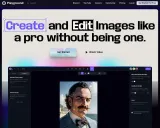
About Dezgo
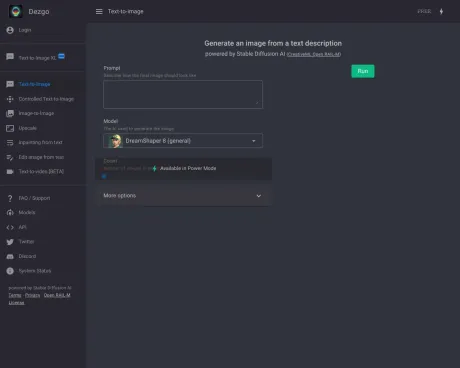
Generate high-quality images/videos from text in any style, realistic, anime, cartoon, illustrations, logos. Fast & easy to use, make your dreams come true!
Dezgo's Pricing Plans
Dezgo may change prices at any time. Here's our latest information:
Pricing
Pricing
- Dezgo operates on a prepaid pay-as-you-go model with no recurring fees.
Frequently asked questions
What is Dezgo used for?
Dezgo - Free Online AI Image/Video Generator, Apps & Tools.Is Dezgo free?
Pricing for Dezgo varies — see the Pricing section for details.What are alternatives to Dezgo?
Where can I get Dezgo?
Dezgo is available at http://dezgo.com.What category is Dezgo in?
Dezgo is listed in Text to Image.What is Dezgo?
Dezgo is an AI-powered online image generator. It empowers you to create images from text descriptions effortlessly. Whether you need images for your website, social media, business, such as product visuals or book illustrations, or simply for fun, Dezgo offers a versatile solution.How does it operate?
Dezgo harnesses advanced AI models to function seamlessly. The prominent AI model, Stable Diffusion, excels at crafting images based on textual descriptions. Additionally, several variations of Stable Diffusion cater to distinct styles. This intricate technology leverages artificial neural networks, comprising millions of neurons and synapses, capable of grasping high-level concepts and self-improvement.Is it available for free?
Yes, Dezgo offers a free version that allows you to utilize its capabilities without the need for registration. However, to prevent server overload, some constraints apply, including rate limits, image resolution, and image quality (with capped sampling steps). For unrestricted access, consider upgrading to the optional paid Power Mode.How can I generate images?
Generating images is straightforward. Select an AI mode from the menu, input your text, and click "Run" to produce the image. Optionally, you can fine-tune the parameters via the "More Options" panel.Do I have ownership rights for the generated images?
Yes, each image generated is unique, and you hold the rights to use it as you see fit, including for commercial purposes in both digital and physical formats (e.g., print products and advertising). It''s important to adhere to the licensing terms of each AI, such as the CreativeML Open RAIL-M license for Stable Diffusion.Can I emphasize certain parts of the prompt?
Indeed, you can adjust the importance of specific parts of your prompt for precise results. You can enhance or reduce the importance of words by adding "+" or "-" respectively. For more fine-grained control, you can use numbers between "0" and "2." Enclosing multiple words in parentheses allows you to apply weight collectively.What if the generated images are not as expected?
To refine the results, consider providing a more specific and detailed description, reordering words, adding style preferences, adjusting parameters, and exploring different AI models based on your needs.What is Power Mode, and how does it differ from the free version?
Power Mode is an optional paid upgrade that removes restrictions such as rate limits and parameter constraints. It operates on a prepaid pay-as-you-go basis, and you pay only for your usage. Additionally, it offers a History feature to access recent requests and re-download results within 30 days.How can I access Power Mode?
To utilize Power Mode, follow these steps: - Create a new account or log in to your existing account. - Fund your account with the desired amount. - Activate Power Mode by clicking the lightning icon in the top right corner.How does it work?
Dezgo uses advanced AI models capable of generating images/videos from arbitrary text descriptions, offering several variants tuned to different styles.Is it free?
Yes, there is a free version of Dezgo that you can use without registering, though some compute-intensive features are not available.Do I own the resulting outputs?
Yes, each output is unique and you own the rights to use it as you wish, including for commercial purposes, following the license terms.What is Power Mode?
Power Mode is an optional paid upgrade that allows you to use Dezgo without restrictions and offers additional features like History for recent requests.How much does Power Mode cost?
The cost depends on the parameters used for each request; for example, Text-to-Image at default settings costs 0.0019 USD per request.Can I withdraw money from my account?
No, all payments are final and non-refundable.What is Power Mode and how does it differ from the free version?
Power Mode is an optional paid upgrade that allows you to use Dezgo without restrictions. It operates on a prepaid pay-as-you-go basis.Will the ads be removed if I switch to Power Mode?
Of course! Ads do not appear in Power Mode.Is this a subscription?
No, there are no recurring fees. This is a prepaid, pay-as-you-go service.
Compare Dezgo with…
Pick any tool to see a structured side-by-side: pricing, deployment, capabilities, and content policy.


