
ImagineArt Review: A Headshot Generator That Comes Bundled With an Entire AI Studio
By: AI Collection
At a glance
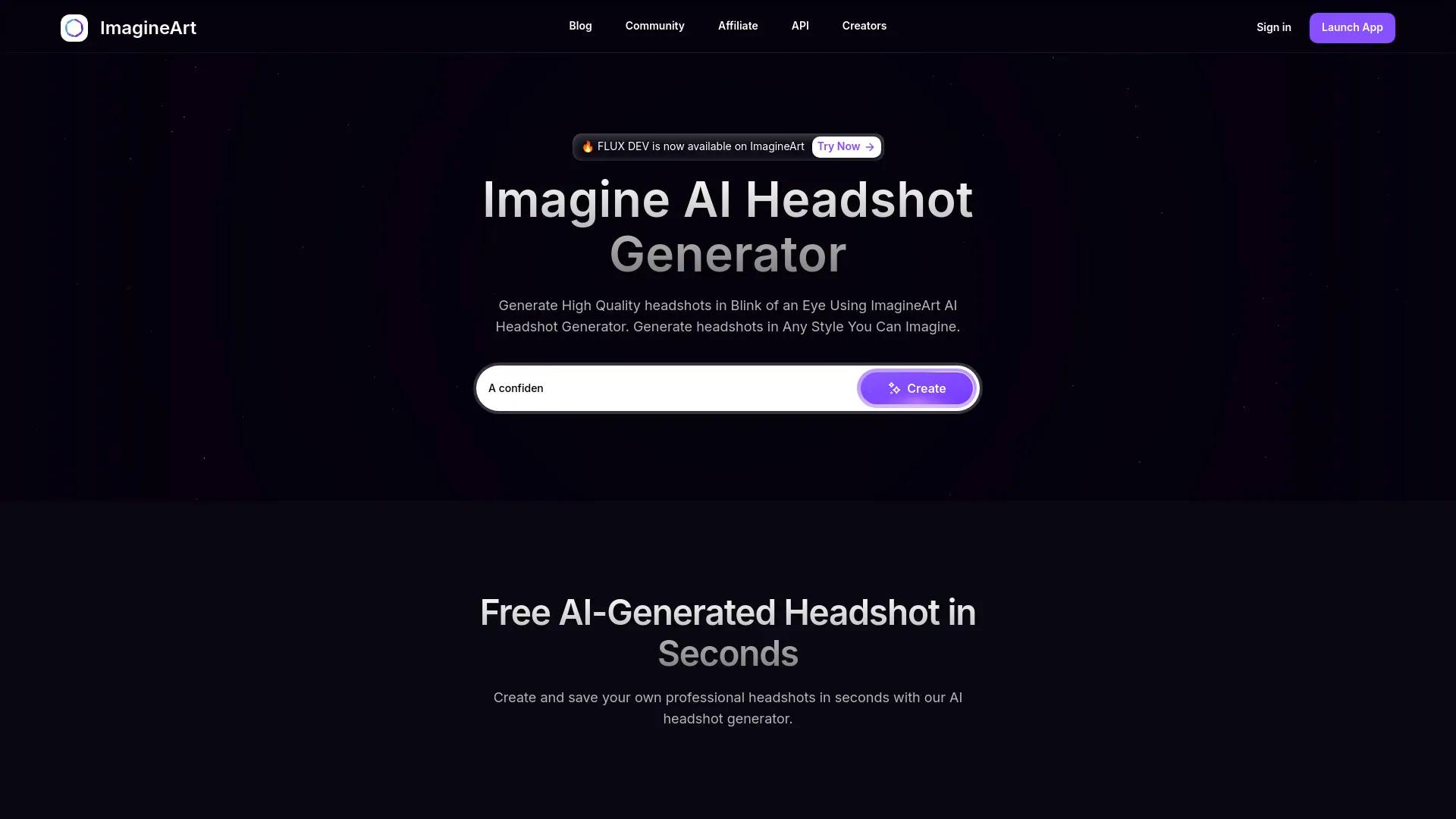
ImageArt
PaidMost "AI headshot generator" tools do one thing: you feed them a dozen selfies, wait, and download a set of LinkedIn-ready portraits. ImagineArt's headshot tool works differently, and not just in how it generates a photo. It's a single feature inside a sprawling creative suite that also makes videos, voiceovers, ads, and short films. That changes the calculation for anyone who lands on it looking for one good profile picture.
So the useful question isn't really "is ImagineArt a good headshot generator?" It's "do you want a headshot generator that's attached to everything else?" Here's what I found after going through the product and the third-party reviews.
What you're actually signing up for
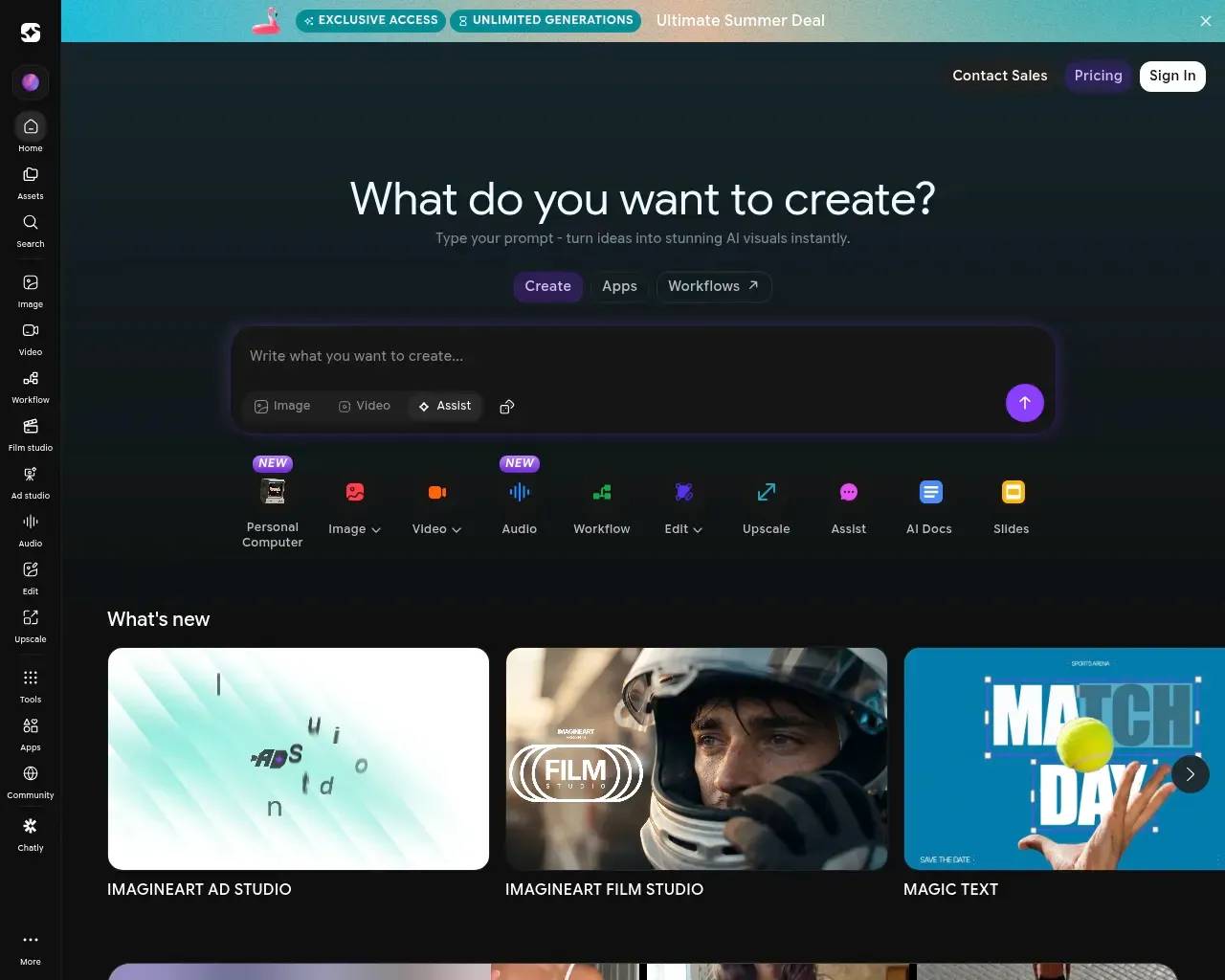
ImagineArt (at imagine.art) bills itself as an "AI creative suite," and the homepage backs that up. One prompt box sits at the top, and underneath it a row of tools fans out: Image, Video, Audio, Workflow, Edit, Upscale, an "Assist" chat, even AI Docs and Slides. The company claims 30M+ users and 100M+ downloads across web and mobile. Whether or not you trust round marketing numbers, the breadth is real — the same login gets you a node-based workflow builder, a background remover, an upscaler, an Ad Studio, and a Film Studio.
Part of how it covers that much ground is by acting as a front end to a long list of third-party models. Browsing the homepage, you'll see names like GPT Image, Google's Veo, Kling, Flux, Seedance, Recraft, and Runway all available from one interface. For a generalist that's genuinely convenient: you're not juggling five subscriptions to compare outputs. For a specialist who just wants headshots, most of it is noise.
The headshot tool itself
The headshot generator is refreshingly simple, and that simplicity is its strongest feature. You upload a single clear photo — no need to gather twenty training images — pick a role (the field defaults to something like "Creative Director"), choose a resolution from 1K, 2K, or 4K, and set an aspect ratio. Then you hit Generate and get studio-style portraits back in seconds.
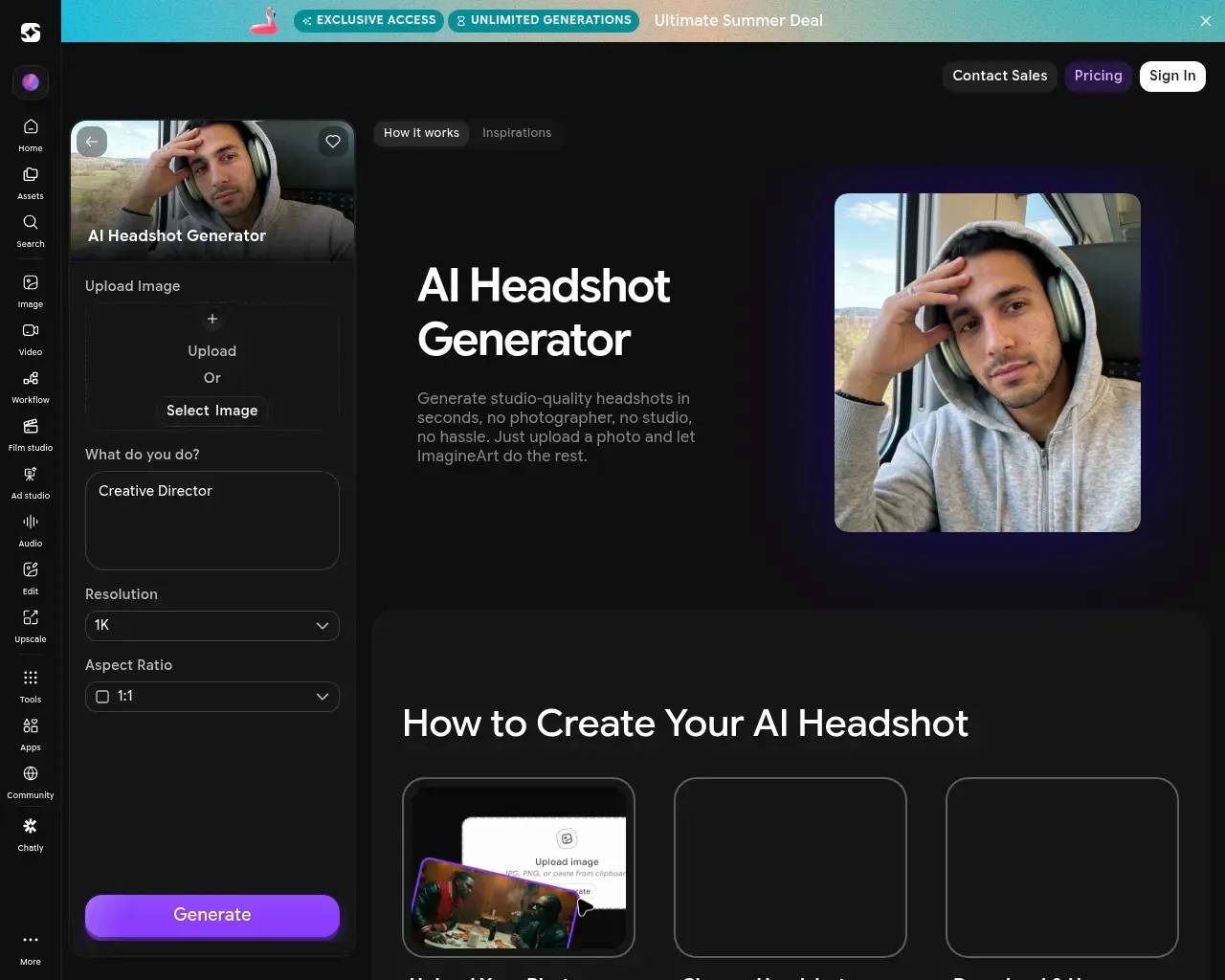
That single-photo, instant-result approach is the opposite of the "upload 20 selfies and train a model for an hour" workflow that dedicated headshot apps use. It's faster and lower-friction. The trade-off is that a model trained on many photos of you tends to hold your likeness more faithfully across a big batch; a one-shot transform leans harder on the source image, so a clean, well-lit, straight-on photo matters more here than usual. ImagineArt's own guidance says as much. The page promises multiple variations per run — different poses, expressions, and backgrounds — and styles aimed at LinkedIn, corporate profiles, email signatures, and portfolios.
If you only need one or two polished portraits and want them now, this is a reasonable, no-fuss option. If you need a large, perfectly consistent set across many shots, evaluate the likeness on your own face before committing.
Pricing: read the billing cycle carefully
ImagineArt runs on credits, with a free tier to start — its FAQ confirms you can use it without paying, and the site frequently dangles a "generate endlessly for free on 20+ models" promotion. Paid plans are subscriptions, and the pricing page lets you toggle between Monthly, Quarterly (around 39% off), and Yearly (up to 50% off), plus a separate Teams track for collaborators.

Two things are worth flagging before you enter a card. First, the headline discounts assume an annual commitment, so the cheap-looking monthly figure is usually the deeply discounted yearly rate amortized — the true month-to-month cost is higher. Second, because everything runs on credits and different models cost different amounts, it's not always obvious how far a plan will actually stretch. Several reviewers on G2 echoed that, praising the value but wishing the per-generation costs were more transparent. Budget by what you'll realistically generate, not by the sticker price.
What the independent reviews say
ImagineArt is interesting precisely because the third-party signal is uneven. It barely registers on Hacker News and didn't surface in Reddit discussion during my search, so the usual developer-forum chatter is thin. The volume instead lives on review platforms. On Trustpilot it holds a 4-star rating across roughly 1,100 reviews — solid, but with a recurring pattern in the negative ones worth taking seriously.
The complaints cluster around billing and moderation rather than output quality:
- Refunds and cancellations. Multiple Trustpilot reviewers describe requesting refunds that support confirmed but that never arrived, or being charged after they'd cancelled. The company has publicly acknowledged in replies that post-cancellation charges "should not happen."
- Content moderation. Some users report the filters are aggressive, flagging fairly ordinary prompts as inappropriate.
- Mid-term plan changes. A few buyers of "unlimited" annual plans complained that restrictions were tightened partway through their term.
On the positive side, the same reviews consistently praise speed, a clean interface, prompt accuracy, and the convenience of having so many models under one roof. None of the recurring complaints are about the headshots being bad — they're about the commercial relationship.
Who it's for
ImagineArt makes the most sense for a generalist creator or a small marketing team that wants images, video, voice, and ads from one subscription and will use the headshot generator as a handy extra. For that person, the all-in-one breadth is the selling point and the per-credit math is worth learning.
If you genuinely only want headshots and nothing else, a dedicated single-purpose headshot app may serve you better and bill you more simply. And whoever you are, treat the billing setup as the thing to get right up front: start on the free tier, confirm the likeness and quality on your own photo, and choose the billing cycle deliberately — that's where the published reviews say buyers get tripped up, not in the generations themselves.
Sources consulted
- ImagineArt homepage — the suite's scope, supported models, and the 30M-user / 100M-download claims
- ImagineArt AI Headshot Generator — the headshot workflow, controls (role, resolution, aspect ratio), and input guidance
- ImagineArt pricing — free tier, credit model, and the monthly/quarterly/yearly billing structure
- ImagineArt reviews on G2 — praise for speed and UI, and the credit-cost transparency concern
- ImagineArt reviews on Trustpilot — the 4-star/~1,100-review rating and the refund, cancellation, and moderation complaints
Published on: June 5, 2026
Looking for alternatives to ImageArt? See all ImageArt alternatives →
Have an AI tool of your own? Submit it below and get a free, in-depth product review article — just like this one.
Add your AI tool in seconds
Paste your URL and we'll draft the listing. You review and edit every field before submitting.
More Product Reviews:

By: AI Collection