
APOB AI Review: An Honest Look at the AI Influencer Generator
By: AI Collection
At a glance

APOB AI
FreemiumThe "faceless creator" has quietly become a real career path — channels that pull in millions of views without a single human ever stepping in front of the camera. APOB AI is built squarely for that crowd. It bills itself as an AI Influencer Generator: a place to invent a synthetic person, lock down their face, and then push that face into photos and short videos for TikTok, Instagram, and YouTube. Whether that idea excites you or unsettles you probably tells you most of what you need to know about whether this tool is for you.
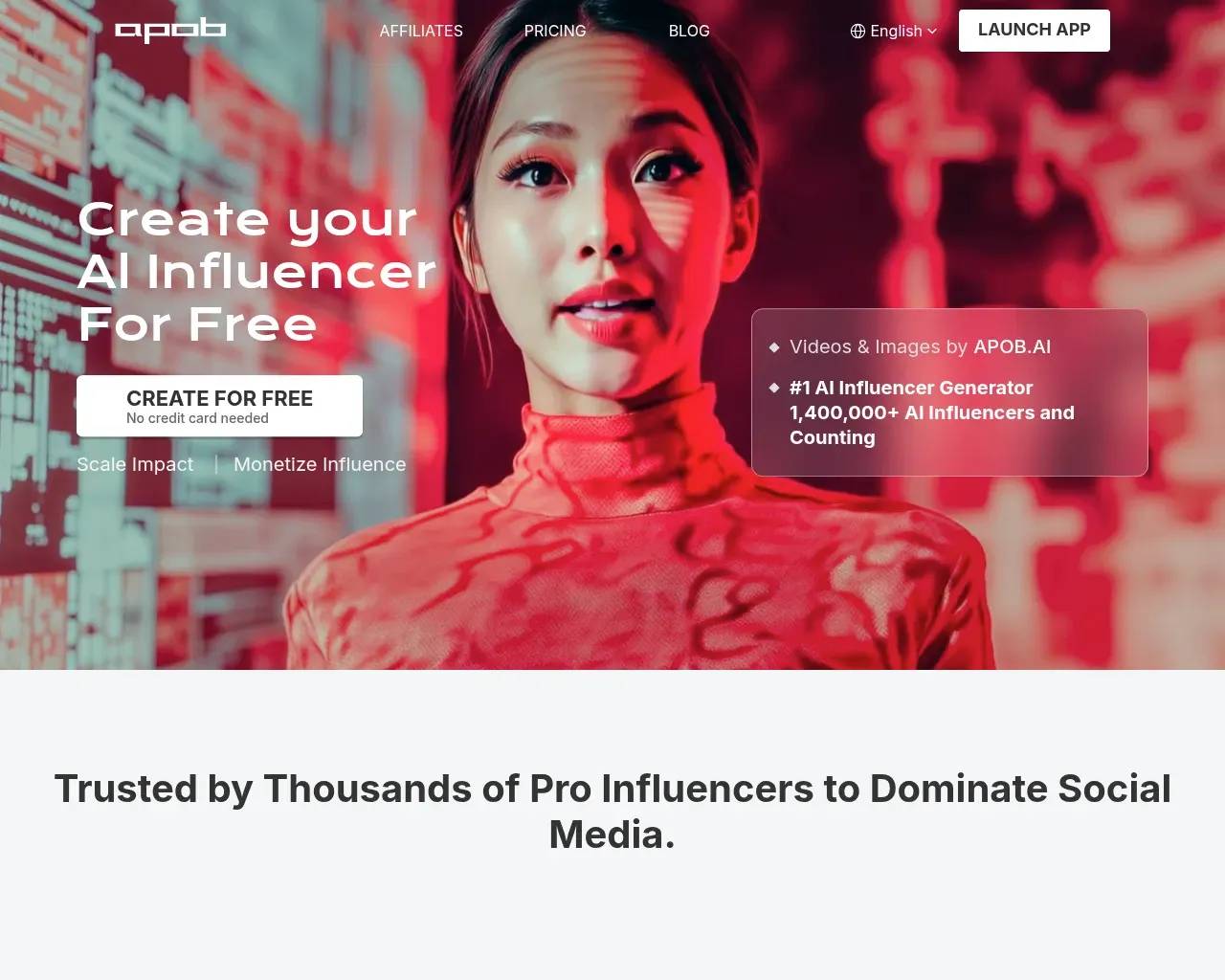
Who makes it, and what you actually get
APOB AI comes from AtomsToBits Labs Inc., and support runs through support@apob.ai. The pitch is end-to-end: create a character, keep its appearance consistent, and produce both stills and motion from one workspace.
There are two ways in. You can upload a reference photo and let the tool refine from it, or generate a persona from scratch — choosing gender, age, nationality, eye colour, and hairstyle. Beginners can lean on a "Complete Set" of trending styles (think anime portraits or clean LinkedIn-style headshots). People comfortable writing prompts get a "Build Your Own" mode, and an "Expert" mode opens up positive and negative prompts for finer control over lighting, pose, and composition.
The hard problem it's actually solving
A fair question is why anyone needs a dedicated influencer generator instead of a general image model. The honest answer is consistency. Getting one good portrait is easy; getting the same face across a hundred posts is the part that trips up generic tools. APOB leans on a "Face-Lock" feature aimed exactly at this — keeping a character recognisably itself across a long run of content. For anyone building a recurring persona rather than one-off images, that's the capability that decides whether the tool is useful or just a novelty.
Stills, motion, and a voice
Images are table stakes, so APOB puts real weight on video. The toolkit covers Image-to-Video, Camera Movement, Text-to-Video, Video Face Swap, video extension, subtitles, and a "ReVideo" editor for swapping models or styles inside existing footage. On top of that sit Talking Avatar and Lip Sync, paired with a multilingual voice library, so a persona can appear to speak a script. A third-party listing (AIMojo) notes clips can run up to ten minutes, and points to a Virtual Try-On feature that dresses a model in different outfits for fashion-style content.
What it costs
You can start for free: 80 credits a day, no credit card. The catch, per AIMojo's breakdown, is that free outputs are watermarked and sit in a lower-priority queue. Paid tiers, by that same listing, run roughly $10.99/month for the entry "Micro" plan (about $6/month billed annually), $29.99/month for "Macro" ($20 annual), and $69.99/month for "Mega" ($50 annual), with monthly credit allowances climbing at each step.
Two caveats worth flagging. First, the exact credit numbers don't line up across third-party listings, so treat any specific figure as approximate and check the live pricing page before you commit. Second, video generation is credit-hungry and is effectively a paid feature — the free tier is really for learning the interface and judging still-image quality. There's no API at the moment, and APOB runs a 30% affiliate programme for anyone inclined to resell access.
Who it's a good fit for
If you're a faceless YouTube or short-form creator, an affiliate marketer who wants on-brand spokes-personas, or a small e-commerce seller who needs cheap product and lifestyle imagery, APOB covers a lot of ground in one place, and the daily free credits make it genuinely low-risk to try.
It's a weaker fit if you need automation or programmatic generation (no API), if your work depends on audiences trusting that a creator is a real person, or if you operate in a strictly brand-safe environment — which brings us to the parts worth thinking about before you build a workflow around it.
The things to weigh first
- It lives next door to NSFW. APOB's own footer advertises an "AI Girlfriend" generator, bikini and lingerie models, an "AI Waifu" generator, and an NSFW image generator. The AI-influencer category as a whole trends this way — AIMojo's own list of alternatives includes one tool whose pitch is explicitly "SFW to NSFW funnels optimised for OnlyFans." None of that makes APOB unusable, but if you need a vendor that's clean by default for a corporate context, audit the feature set first.
- Disclosure is on you. The marketing frames talking avatars as a way to build "the trust needed for high-conversion affiliate marketing." A synthetic persona that viewers assume is human raises an obvious honesty question, and labelling content as AI-generated is the creator's responsibility, not the tool's.
- Mind whose face you use. Reference-photo upload and Video Face Swap are powerful, but only point them at faces you actually have the right to use.
- The headline numbers are the company's own. Claims like "#1 AI Influencer Generator" and "1,400,000+ AI influencers created" come from APOB itself — and a third-party review cited a notably lower figure (around 600,000), a reminder these are marketing counts, not audited stats. The on-site testimonials are vendor-supplied too. Independent discussion is thin: I found no Hacker News thread and no Reddit discussion about the product, so the free tier is your best way to judge real output quality.
A few quick questions
Is APOB AI free? Yes, to start — 80 credits refresh daily with no card required. Free outputs are watermarked, and video generation is effectively a paid feature.
Can I use what I create commercially? APOB markets commercial rights as part of its paid plans; confirm the specifics for your tier before publishing client work.
Does it have an API? Not currently. It's a web app, so it suits hands-on creation more than automated pipelines.
Will my character look the same across posts? That's the entire point of the Face-Lock feature — keeping one persona consistent across many images and videos.
Sources consulted
- APOB AI homepage — product features, the free tier, the maker (AtomsToBits Labs Inc.), and the platform's own marketing claims.
- APOB AI review on AIMojo — pricing tiers, pros and cons, credit guidance, the no-API note, and peer alternatives.
- Hacker News (Algolia) search for "apob" — checked for independent discussion; none specific to the product was found.
- Wayback Machine availability for apob.ai — checked for an archival longevity signal; no snapshot was returned.
Published on: June 4, 2026
Looking for alternatives to APOB AI? See all APOB AI alternatives →
Have an AI tool of your own? Submit it below and get a free, in-depth product review article — just like this one.
Add your AI tool in seconds
Paste your URL and we'll draft the listing. You review and edit every field before submitting.
More Product Reviews:
By: AI Collection
By: AI Collection