Kerlig™
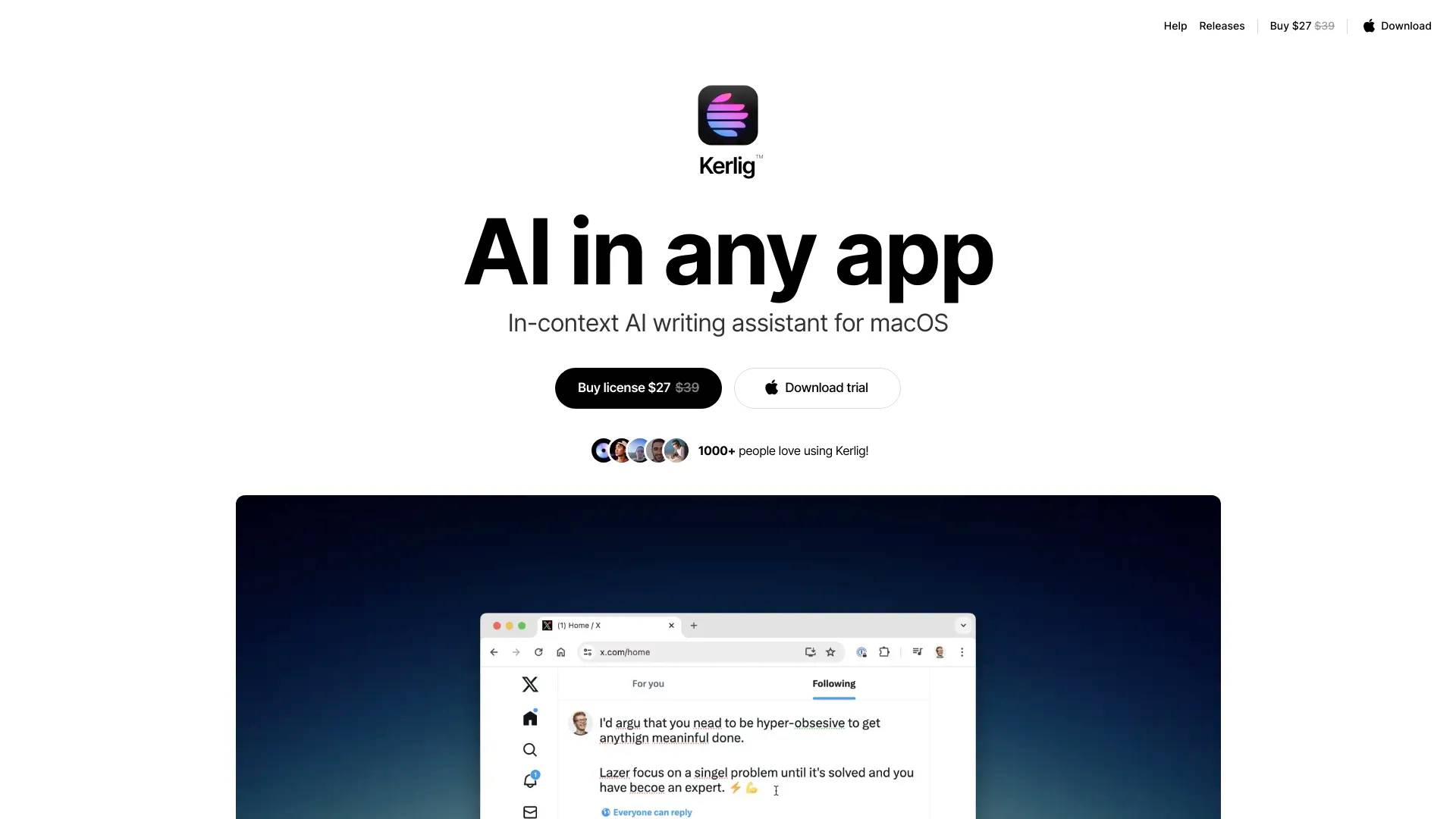
Kerlig™ is an AI tool. In-context AI writing assistant for macOS.
- Category
- Writing Assistant
- Pricing
- Free
- Alternatives
- 6 similar tools
- Last updated
- 2 years ago
- Source
- Official site ↗
About Kerlig™
In-context AI writing assistant brings AI to any app on macOS. Write replies on Slack and Mail using your tone of voice. Fix spelling before sending a message. Summarize websites and articles. Chat with PDFs and documents. Improve copy in Figma. Translate to any language. Change tone and more! Supports all models from OpenAI, Anthropic Claude, Google Gemini, LLaMA3, Mixtral.
How Kerlig™ compares
Kerlig™ alongside its closest alternatives in the Writing Assistant category.
What you get
Additional Information
Frequently Asked Questions
How does it work?
When you highlight text in any application and activate Kerlig with your chosen hotkey, the selected text is processed by Kerlig. It offers various functions such as correcting spelling, adjusting tone, composing replies, and answering questions. You can then either paste the generated text back into the original application or copy it to the clipboard for manual pasting.
To use the Kerlig app, you need an API key from at least one AI provider.
Guides are available for obtaining API keys from: OpenAI, Claude, Gemini Pro, and Groq.
What models are supported?
Kerlig supports all current models from OpenAI (GPT-4o, GPT-4 Turbo, GPT-4, GPT-3.5 Turbo), Claude (Opus, Sonnet, Haiku), Gemini (Gemini Pro), and Groq (LLaMA3 8b, LLaMA3 70b, Mixtral 8x7b, Gemma 7b), as well as any new models that may be released in the future.
How much will it cost me?
Kerlig requires a one-time purchase. After that, you will only pay for the tokens you use with OpenAI, Claude, Gemini, or Groq.
Most users typically spend between $1 and $3 per month on tokens.
What is the context window limit?
Using OpenAI models, you can interact with PDFs or other lengthy documents with a maximum input limit of 8K, 16K, or 32K tokens (about 12, 24, or 48 pages of text, respectively). With Anthropic Claude models, you can work with up to 200K tokens, roughly equivalent to 350 pages of text.
How is the performance?
Kerlig is extremely fast, launching in approximately 150 milliseconds and using only 60-140MB of memory.
How does the license work?
When you purchase a Kerlig license, you can use it indefinitely without any additional fees, meaning no renewals or regular payments are required.
One license is valid for one device, but you can transfer it between devices. Activating the license on a second device will automatically deactivate it on the first.
Each license includes one year of free app updates.
Frequently asked questions
What is Kerlig™ used for?
In-context AI writing assistant for macOS.Is Kerlig™ free?
Kerlig™ is free to use.What are alternatives to Kerlig™?
Where can I get Kerlig™?
Kerlig™ is available at https://www.kerlig.com/.What category is Kerlig™ in?
Kerlig™ is listed in Writing Assistant.What models are supported?
Kerlig supports all current models from OpenAI (GPT-4o, GPT-4 Turbo, GPT-4, GPT-3.5 Turbo), Claude (Opus, Sonnet, Haiku), Gemini (Gemini Pro), and Groq (LLaMA3 8b, LLaMA3 70b, Mixtral 8x7b, Gemma 7b), as well as any new models that may be released in the future.How much will it cost me?
Kerlig requires a one-time purchase. After that, you will only pay for the tokens you use with OpenAI, Claude, Gemini, or Groq.
Most users typically spend between $1 and $3 per month on tokens.What is the context window limit?
Using OpenAI models, you can interact with PDFs or other lengthy documents with a maximum input limit of 8K, 16K, or 32K tokens (about 12, 24, or 48 pages of text, respectively). With Anthropic Claude models, you can work with up to 200K tokens, roughly equivalent to 350 pages of text.How is the performance?
Kerlig is extremely fast, launching in approximately 150 milliseconds and using only 60-140MB of memory.