
Clip Studio Review: AI-Generated Faceless Videos for TikTok, Shorts, and Reels
By: AI Collection
At a glance
Clip Studio
FreeClip Studio Review: AI-Generated Faceless Videos for TikTok, Shorts, and Reels
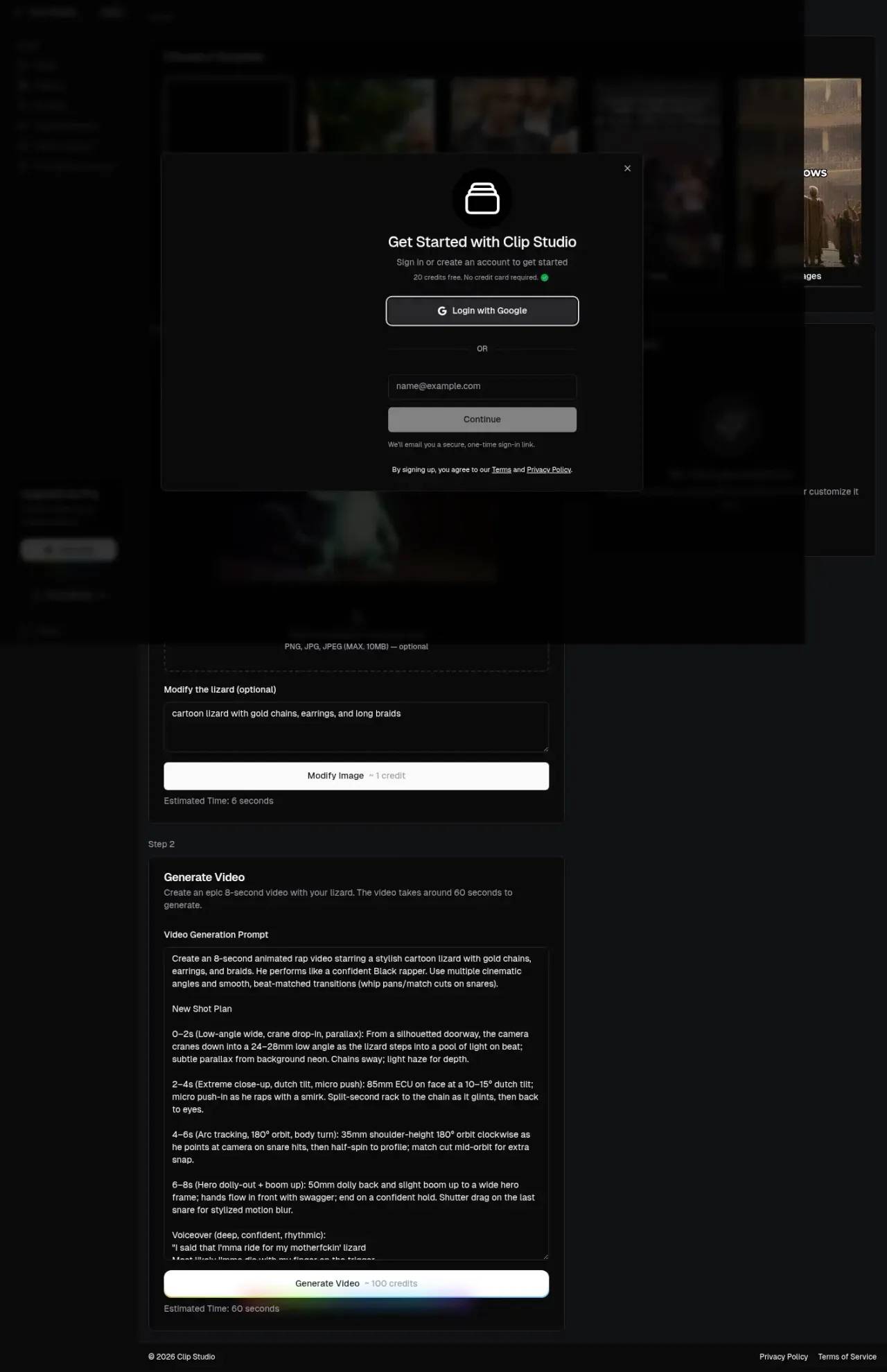
The default demo on Clip Studio's homepage is a cartoon lizard in gold chains performing an eight-second rap, complete with an AI-written "shot plan" calling for crane drop-ins, dutch tilts, and beat-matched whip pans. It's deliberately ridiculous — and it tells you exactly what this tool is for. Clip Studio isn't trying to make your corporate explainer video. It's built to mass-produce the kind of faceless, scroll-stopping short-form content that fills TikTok, YouTube Shorts, and Instagram Reels.
What Clip Studio actually does
Strip away the lizard and the pitch is straightforward: pick a template, feed it a topic or a starting image, and Clip Studio assembles a finished vertical video you can publish straight to TikTok, YouTube, or Instagram. The product is currently labeled Beta, and the whole experience lives in the browser — there's no install, no timeline editor to wrestle with.
The interesting design decision is that Clip Studio is template-first rather than prompt-first. Instead of dropping you into a blank canvas, it routes you toward specific, proven faceless-video formats. That narrows what you can make, but it also means you're starting from a structure that already performs on social feeds.
The template library is the real product
Working from Clip Studio's own changelog, you can watch the format lineup get built out through late 2024. The templates that ship today cover most of the faceless-content playbook:
- Reddit Story — turns a thread into a narrated video, with an option (added November 2024) to speed playback up to 2x for fast-scrolling feeds.
- Fake Text Message — simulated iMessage- or WhatsApp-style conversations with editable bubbles and contact names, plus adjustable caption positioning.
- Twitter Thread — strings multiple "tweets" into a sequenced video, with drag-and-drop reordering and a preview mode that mocks up how it'll look before you post.
- AI Video — the storytelling template: you write a theme, the AI drafts a script, generates images, and adds an AI voiceover, then stitches it together.
- Splitscreen Clips and Stream Clip — the second repurposes Twitch and Kick highlights into shorts with overlays and reactions.
- AI Lizard and AI Images — the meme-character and image-generation lanes.
There's also a "Request a Template" option, which is a reasonable signal for a Beta product still figuring out which formats its users actually want.
One feature worth calling out is Randomized Background Videos. Clip Studio pulls from a library of background footage and randomizes the clip behind each generation. The stated reason is copyright compliance — rotating backgrounds so you're not republishing the same stock loop a thousand times. It's a small thing that suggests the team has thought about the practical headaches of running content at volume.
How a video comes together
The workflow is genuinely simple. For the AI Video template, you write a theme and the system generates a script; you review and edit it, generate or tweak the accompanying images, add a voiceover, render, and export. The homepage flow lays this out in numbered steps, and each action carries an estimated time and a credit cost — modifying an image runs about 1 credit and takes a few seconds, while generating a full eight-second video costs around 100 credits and takes roughly a minute.
That credit model is the thing to internalize before you commit. Output is metered, so if your plan is to flood three platforms with daily videos, the math on credits-per-video matters more than any single feature.
One honest caveat on the "AI Video" label: per Clip Studio's October 2024 launch note, that template originally worked by combining AI-generated images, voiceovers, and scripts — effectively a polished slideshow with narration — with true AI-generated video described as a future addition. If you're expecting Sora-style text-to-video out of the box, confirm the current capability before you sign up.
Pricing: what you can and can't see
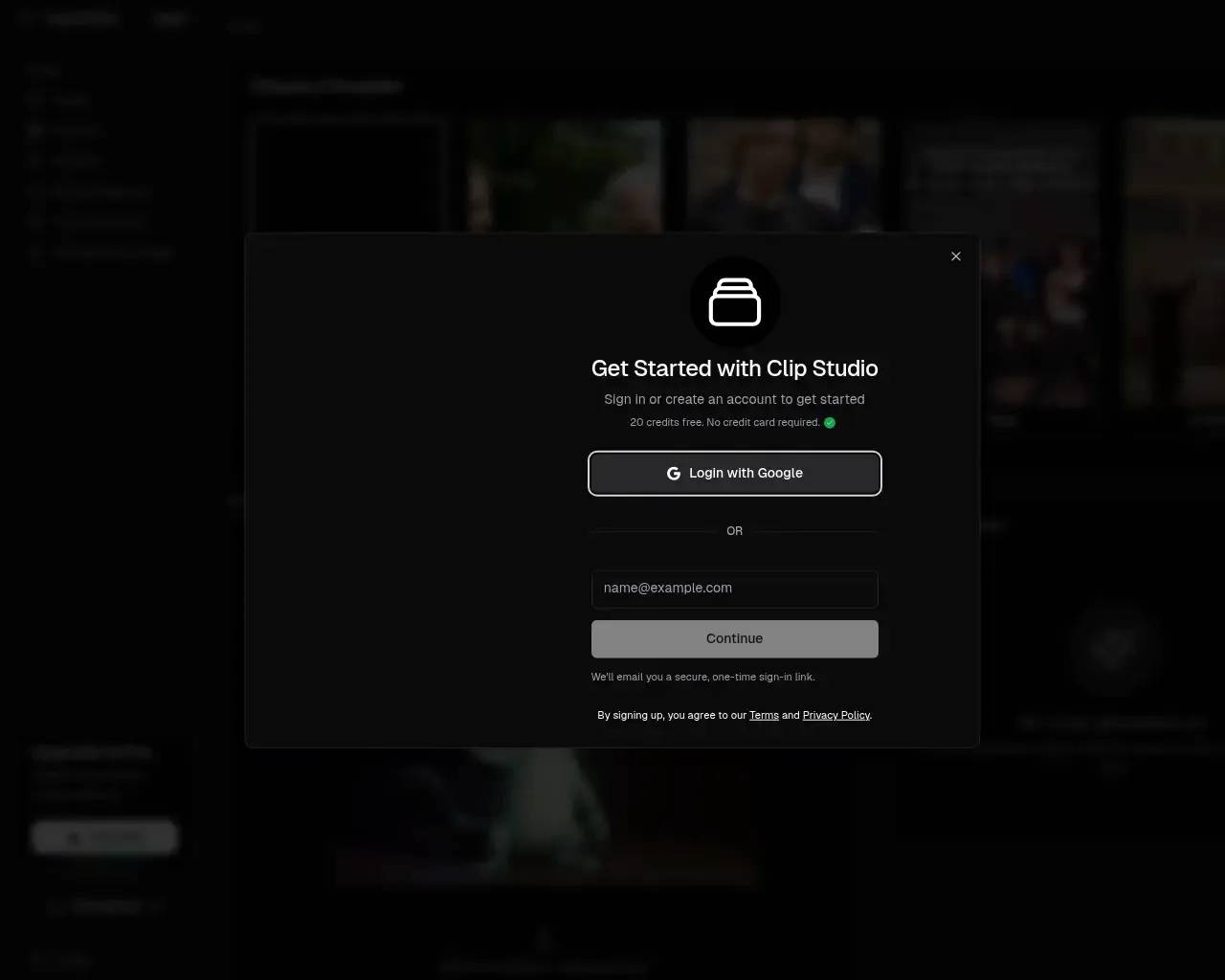
Here's where Clip Studio gets less transparent. New accounts get 20 free credits with no credit card required, which is enough to poke around and generate a video or two. There's an "Upgrade to Pro" path and a referral program paying 30% commissions.
What you won't easily find is a clean, public breakdown of paid tiers. When I checked, the dedicated pricing page returned a server error, and there were no published plan prices to compare without first creating an account. For a tool whose whole value proposition is volume, not being able to model your monthly cost upfront is a real friction point. Budget a few of those free credits to gauge output quality, and go in knowing you'll likely have to sign in to see what scaling actually costs.
Where it fits — and where it doesn't
Clip Studio is a good match if you're a faceless-content creator or social marketer who wants to churn out Reddit-story, fake-text, Twitter-thread, or meme-style videos without ever filming anything, and you value publishing directly to TikTok, Shorts, and Reels from one place. The template-first approach is a genuine time-saver for exactly that audience.
It's a weaker fit if you need long-form video, tight brand control, or true generative video rather than image-and-voiceover assembly. And it's worth a clear-eyed note on the bigger risk in this category: faceless content built from narrated stories over randomized background footage can run into platform originality and reused-content monetization rules. Clip Studio's background randomization helps, but it doesn't override YouTube's or TikTok's policies — evaluate that against how you plan to monetize.
A few other things to weigh. Clip Studio sits in a crowded niche alongside tools like Crayo, ClipGoat, Revid, and MakeShort, plus broader generators like InVideo and HeyGen, so it's worth a side-by-side trial. Independent coverage is thin — most of what surfaces online is auto-generated directory listings, and the name collides with the unrelated Clip Studio Paint illustration software, which muddies research. The public changelog also hasn't been updated since late 2024, so while the app is live and generating videos, you can't confirm an active development pace from public signals alone.
The bottom line
Clip Studio knows what it is: a fast, template-driven factory for faceless short-form video, with sensible touches like background randomization and direct social export. The free credits make it easy to try, and for high-volume Reddit-story or meme-style content it's a legitimate option. Just go in with two questions answered for yourself — what the paid tiers actually cost once you're past the free credits, and whether your target platform will monetize the kind of content it produces. Test it against a competitor or two, and let the output quality on your topic decide it.
Sources consulted
- Clip Studio homepage — product positioning, template list, the credit costs and time estimates, Beta status, and referral program.
- Clip Studio changelog — feature launch dates and details for the AI Video, Twitter Thread, Fake Text Message, Stream Clip, Reddit speed-up, and Randomized Background Videos features (Oct–Nov 2024).
- Clip Studio sign-in / onboarding — the "20 free credits, no credit card required" offer and Google/email login (captured first-party).
- Clip Studio AI on aitools.inc — third-party directory listing corroborating the faceless-video category positioning.
- AI video generator landscape — competitive context (Crayo, ClipGoat, Revid, MakeShort, InVideo, HeyGen) and confirmation of limited independent editorial coverage.
Published on: June 9, 2026
Looking for alternatives to Clip Studio? See all Clip Studio alternatives →
Have an AI tool of your own? Submit it below and get a free, in-depth product review article — just like this one.
Add your AI tool in seconds
Paste your URL and we'll draft the listing. You review and edit every field before submitting.
More Product Reviews:
By: AI Collection
By: AI Collection