updated at: May 2026
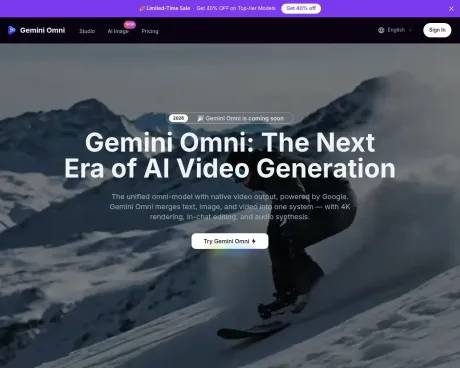
Gemini Omni — Unified AI Omni-Model with Native 4K Video, In-Chat Editing & Integrated Audio
Craft cinematic AI videos with Gemini Omni, the unified omni-model powered by Google. Generate, edit, and remix in native 4K at up to 120fps — with built-in audio, Director's Mode, and in-chat editing.
AI Collection Top Picks:

Video Generation & Editing Category Picks:



Additional Information
Features
1. Unified Omni-Model
Unlike standalone video generators, Gemini Omni consolidates text, image, and video generation under one architecture. Switch between modalities mid-conversation without juggling separate tools or pipelines — generate an image, turn it into a video, add dialogue, and refine the result all in a single chat thread.
2. In-Chat Video Editing
Gemini Omni lets you remix clips, swap objects, remove watermarks, and rewrite entire scenes through natural language instructions — all directly in the chat interface, no external software needed. Simply describe what you want to change and the model re-renders the affected frames.
3. Native 4K at Up to 120fps
Gemini Omni outputs at true 4K (3840×2160) with optional 120fps for ultra-smooth motion. Fine-grained detail in skin pores, fabric textures, and fluid dynamics holds up at any viewing distance — no AI upscaling tricks involved.
4. Persistent World-State Memory
Characters, environments, and props stay visually consistent across shots. Gemini Omni maintains a persistent world state so faces, wardrobe, and lighting match from scene to scene automatically — even through dramatic camera moves and angle changes.
5. Integrated Foley & Dialogue
Gemini Omni synthesizes sound effects, ambient noise, and spoken dialogue alongside the visuals in a single diffusion pass. Prompt with text or sync to an uploaded audio track — both workflows are supported, eliminating the need for a separate sound-design step.
6. Director's Mode
Gemini Omni's Director's Mode gives you control over virtual lens focal lengths, lighting setups, and camera paths. Specify rack focus, dolly zoom, tracking shots, and motivated lighting in your prompt. Adjust motion speed post-generation with the Motion Slider — no re-render required.
Use Cases
1. Commercial Advertising
Craft bold advertisements with Gemini Omni's sweeping camera work and cinematic scale. Move from tight mechanical close-ups to dramatic wide-angle aerials, layering text over complex scenes for lasting visual impact — all rendered natively in 4K without post-production upscaling.
2. Cinematic Storytelling
Use Gemini Omni to capture quiet emotional beats through nuanced character performance. Shift pacing from suspense to tenderness, pulling in with intimate close-ups and natural body language that resonate. Persistent world-state memory keeps characters consistent across every scene.
3. Anime Multi-Shot Narrative
Build fluid multi-shot anime sequences with consistent visual continuity. Transition from wide establishing frames to tight character close-ups, weaving dialogue and ambient audio into an emotional arc — all generated in a single conversational workflow.
4. Action Cinematics
Choreograph high-energy performances with Gemini Omni's full camera control. Lock onto low-angle tracking shots, capture split-second athletic recovery, and convey raw emotional intensity with perfectly synchronized Foley and motion.
5. Creative Text Transitions
Animate stylized typography across the frame, blending kinetic text with visual effects for striking results. Gemini Omni supports overhead perspectives that shatter into dynamic puzzle-break reveals — ideal for brand intros and social media hooks.
6. Immersive Game Cinematics
Generate CG-quality game cutscenes with Gemini Omni's precise audio-visual locking. The engine syncs footsteps and environmental Foley to on-screen movement while keeping a consistent stylistic framework — ideal for indie studios and rapid concept visualization.
FAQ
1. What is Gemini Omni and what can it do?
Gemini Omni is Google's first unified omni-model with native video output, spotted in the Gemini UI ahead of Google I/O 2026. Unlike standalone generators, it merges text, image, and video creation into one conversational system — letting you generate, remix, edit, and rewrite video scenes directly in chat. Our platform provides a dedicated studio to access Gemini Omni alongside current models.
2. How is Gemini Omni different from Veo 3.1 or Sora?
Veo 3.1 is a dedicated video generator; Gemini Omni is a unified omni-model that handles text, image, and video in one system. It adds in-chat editing, native 4K at up to 120fps, Director's Mode with post-generation camera control, and persistent world-state memory — capabilities no standalone model offers today.
3. Can I use my own face or product photos as references?
Yes. Identity preservation is a headline Gemini Omni feature. Upload a portrait or product image and the model will reproduce those exact visual details — facial structure, brand colors, surface textures — consistently throughout the generated video.
4. What is the maximum Gemini Omni video length?
A single Gemini Omni render can produce up to 30 continuous seconds. For longer content, the scene-stitching engine chains clips into seamless sequences of up to two minutes with matched lighting and motion.
5. Does Gemini Omni generate audio?
It does. Gemini Omni's audio module runs alongside the video diffusion process, outputting synchronized Foley, ambience, and dialogue in a single pass. No separate sound-design step needed.
6. What prompt style works best with Gemini Omni?
Anything from casual descriptions to detailed shot lists. Gemini Omni's Director's Mode lets you specify lens focal lengths, lighting setups, and camera paths — prompts like "handheld tracking shot, golden-hour backlight, shallow DOF" translate directly into matching camera work.