
ColorBliss Review: Turning Prompts and Photos Into Printable Coloring Pages
By: AI Collection
At a glance

ColorBliss
PaidMost AI image tools are built to make pictures. ColorBliss is built to make pictures you can print and color in — clean black-and-white line art instead of richly shaded art. That narrow focus is the whole pitch, and after digging through the product, its pricing, and what independent reviewers say, it's also the reason the tool works as well as it does.
The origin story is refreshingly small. Founder Ben Robertson, an independent software developer, says he built ColorBliss in 2023 because his young son was obsessed with coloring and the family could never find the pages he actually wanted. So he made a generator that turns an idea into a printable page. Two-and-a-bit years later the homepage reports more than 1.5 million pages created and over 150,000 sign-ups — self-reported numbers, but the kind that suggest the tool found its audience of parents, teachers, and coloring-book sellers.
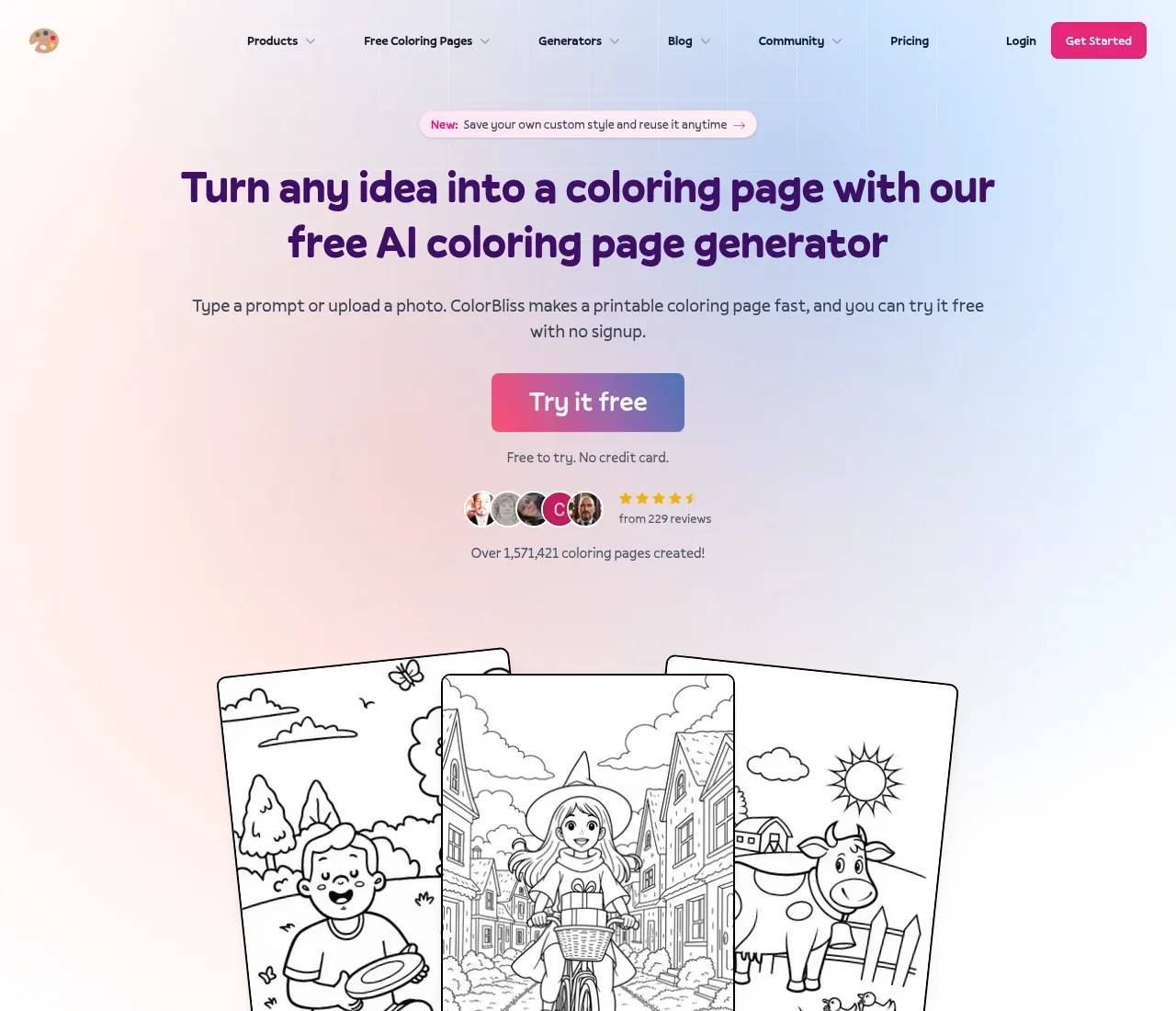
Three ways in: a prompt, a photo, or a rough sketch
There isn't one workflow, there are three, and they cover the ways people actually arrive at "I need a coloring page."
The first is text. Type something like "dinosaur astronaut on Mars, cartoon style, for kids ages 6 to 8" and you get a printable page in a few seconds. This is the core feature and, by most accounts, where ColorBliss is strongest. An independent reviewer at Technical Wall who tested it against other AI tools put it plainly: general models "often produce messy or overly detailed images that are not suitable for coloring," while ColorBliss "keeps it simple and usable." Clean outlines, not too thin or too thick, is exactly what a coloring page needs.
The second is photo-to-page. Upload a portrait, a pet, or a vacation shot and the AI removes the background and simplifies it into outlines while keeping the subject recognizable — handy for personalized gifts and keepsakes. The third is sketch cleanup: feed it a rough drawing and it refines the lines into something print-ready.
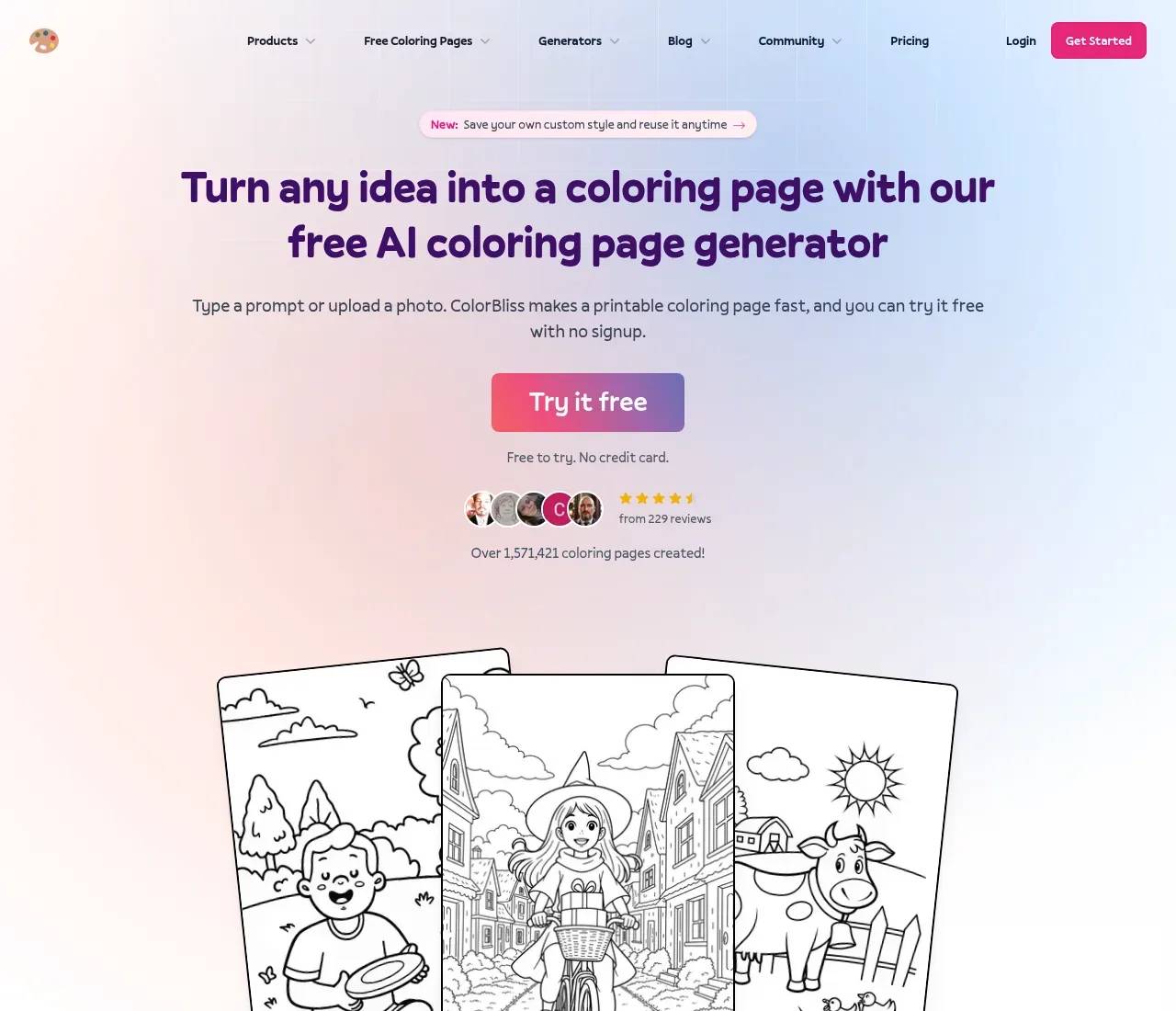
What separates it from "just use Midjourney"
A general image model can draw a unicorn. It's much worse at drawing a unicorn that's only outlines, at a print resolution, with a character that looks the same on page two as it did on page one. ColorBliss leans into those gaps.
A few features stand out. Magic Color colors a finished page inside the app across seven styles — digital ink, colored pencils, watercolor, marker, crayons, pastels, and cel shading — so you don't need a second tool to preview a colored version. Consistent characters let you upload a reference and keep one character stable across an entire book, which is the hard part of self-publishing a series. There's a word-art generator for names, quotes, and lettering, plus niche generators for things like Bible-verse and quote pages. Output downloads as PNG or PDF at 300 DPI — genuinely print-ready, not screen-resolution.
Built for people who actually print
The tells are everywhere that this is aimed at a specific crowd: parents printing pages for road trips, teachers making worksheets, churches running Sunday-school activities, and — most commercially — people self-publishing coloring books on Amazon KDP and Etsy. The homepage testimonials lean heavily on that last group, including creators who say they launched a coloring-book business as non-illustrators.
That commercial angle is the one to read the pricing for carefully, because the right to sell what you make is gated.
What it costs, and where the limits bite
ColorBliss is credit-based with a genuinely usable free path — you can try the generator on the homepage with no signup, and new accounts get up to a dozen free images without a card. Paid plans (monthly, with annual billing knocking off up to 31%) run:
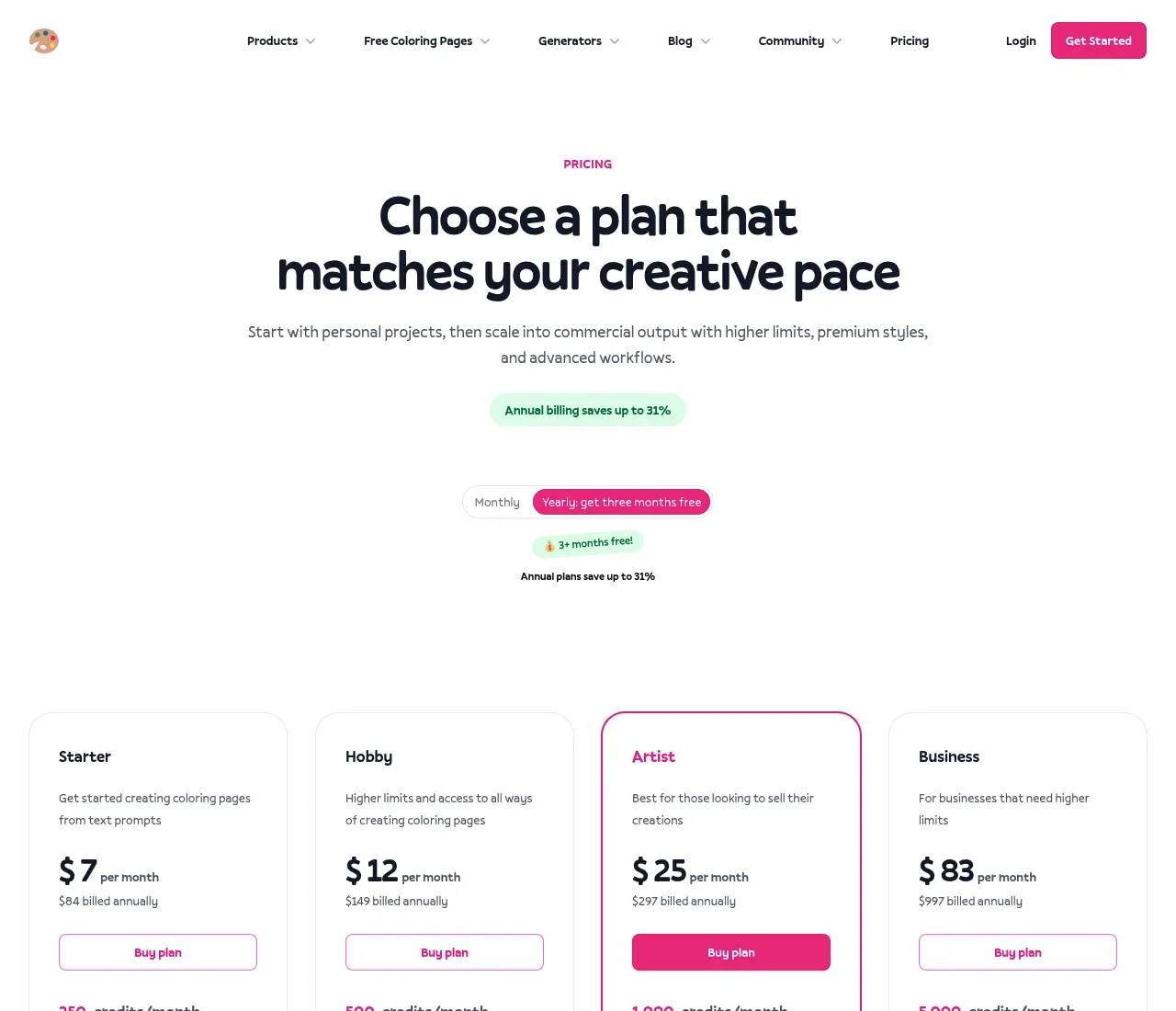
- Starter — $7/mo (250 credits): text prompts and word art only. Personal use, no rollover.
- Hobby — $12/mo (500 credits): adds photo and sketch conversion, advanced editing, and custom characters.
- Artist — $25/mo (1,000 credits): the plan that matters if you sell — it unlocks commercial licensing, no watermark, bulk generation (50 at a time), and auto-upscale.
- Business — $83/mo (5,000 credits): same features, higher ceiling.
Credits aren't one-per-image: a standard text page is cheap, but a Ghibli-style page costs about 3, a photo conversion 4, and character sheets or high-resolution exports 10. If you'd rather not subscribe, one-time credit packs (from 500 credits for $25) top you up, though they expire after six months. There's a 7-day money-back guarantee.
Two things are worth flagging honestly. First, commercial use and watermark-free output both live on the $25 Artist tier — fine if you're selling, but it means the cheaper plans aren't for KDP. Second, because everything is metered in credits, heavy or experiment-happy users can burn through an allowance faster than the headline page count implies.
Things to weigh before committing
The sourced criticisms are modest but real. Reviewers note that photo conversions occasionally come out with unwanted shading, and that automatic background removal doesn't always land cleanly — output quality leans on the quality of the photo you feed it. The tool is also deliberately narrow: it makes coloring pages and nothing else, so it's a poor fit if you want general illustration. And its independent footprint is small — a quiet "Show HN" launch back in January 2024 drew little discussion, and there's scant Reddit chatter — so most third-party signal comes from review sites and the company's own Trustpilot and Capterra pages rather than a large organic community.
Who it's for
If you're a parent or teacher who wants the occasional custom page, the free tier or the $7 Starter plan is plenty. If you're assembling and selling coloring books, the Artist plan is the real product — consistent characters, bulk generation, and a commercial license are exactly the things a KDP seller needs, and they're the features general AI tools handle worst. For everyone in between, the free demo answers the only question that matters: try a prompt and a photo, judge the line art with your own eyes, and you'll know within a minute whether ColorBliss fits the way you work.
Sources consulted
- ColorBliss homepage — product overview, the three input modes, Magic Color styles, consistent characters, founder note, and self-reported usage numbers
- ColorBliss pricing — Starter/Hobby/Artist/Business plans, credit costs, rollover, one-time packs, and the money-back guarantee
- ColorBliss llms.txt — feature descriptions, output formats, and the free-tier image allowance
- Colorbliss Review — Technical Wall — independent hands-on testing of line-art quality, photo conversion, and limitations
- Show HN: Custom coloring pages for kids and adults — January 2024 launch and community reception
Published on: June 18, 2026
Looking for alternatives to ColorBliss? See all ColorBliss alternatives →
Have an AI tool of your own? Submit it below and get a free, in-depth product review article — just like this one.
Add your AI tool in seconds
Paste your URL and we'll draft the listing. You review and edit every field before submitting.
More Product Reviews:
By: AI Collection
