BiRead: a one-click bilingual reader for learning languages on the web
By: AI Collection
At a glance
BiRead
FreeOpen a Spanish news site, a Japanese blog, or a German forum thread and you hit the same wall: the thing you want to read is in a language you only half-know. The usual fix is to run the whole page through Google Translate, which swaps the original out entirely. That's fine until the translation reads oddly and you have no way to check it against the source. BiRead takes a different route. It's a Chrome extension that shows a page in two languages at once — the original and the translation, side by side — so you read across both instead of trusting one.
Reading in two languages at once
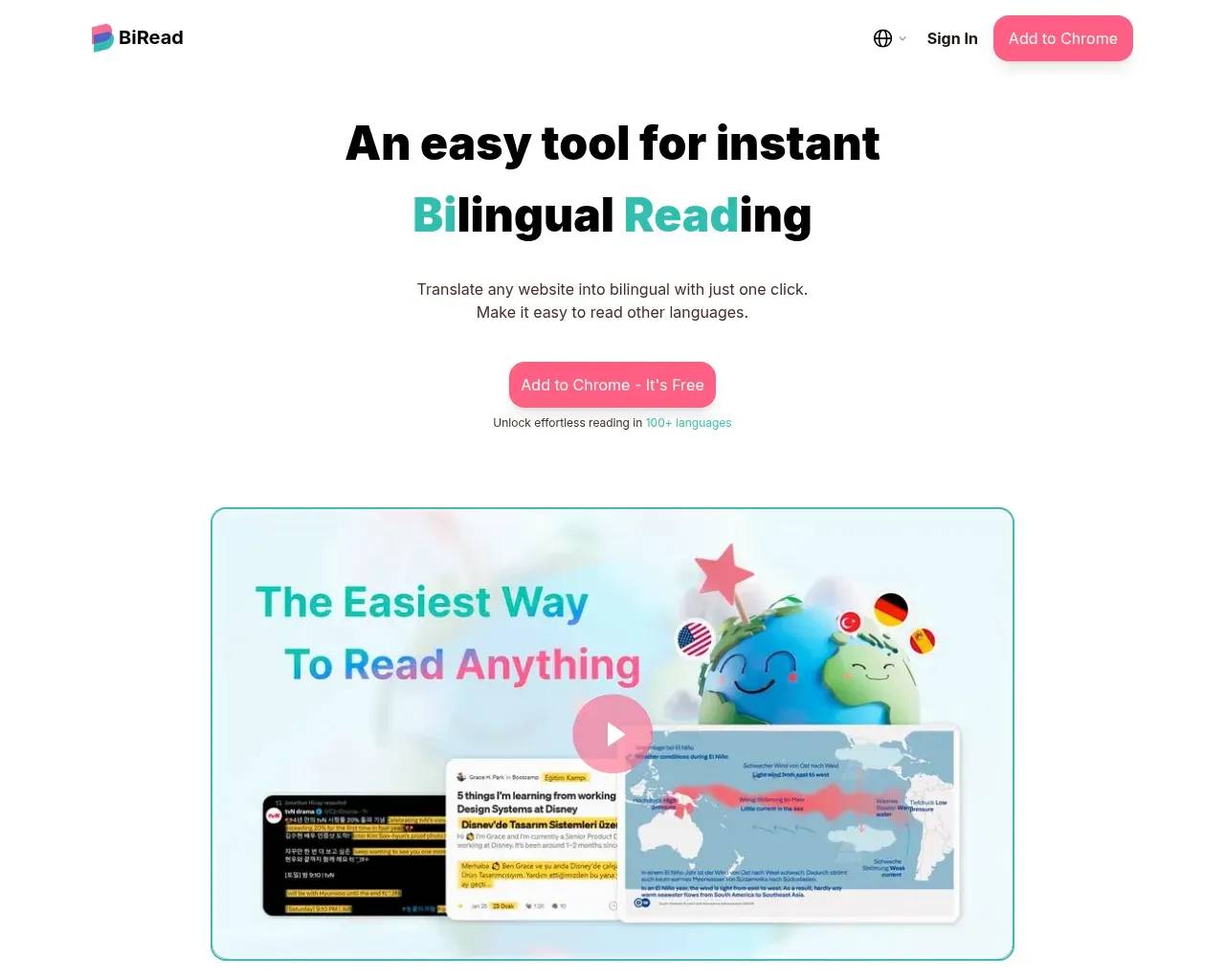
The core idea is parallel, or bilingual, reading. Click the extension on any page and it interleaves a translation with the original text rather than replacing it. You keep the source in view, which matters when you actually care whether the translation is faithful. The same approach extends to YouTube, where BiRead can show bilingual subtitles, and there's a dedicated "learning mode" that keeps a page in the language you're studying and only surfaces your native language when you ask for it.
For someone actively learning a language, that's the meaningful split from an ordinary translator. You read the real material with a safety net underneath, rather than reading an English copy and never touching the original. Reviewers on the Chrome Web Store call out that learning angle specifically; one describes the bilingual mode as "so immersive."
Where the AI tier earns its keep
BiRead draws a clear line between machine translation and AI translation, and its own pricing page makes the case with idioms — exactly where word-for-word translation falls apart. The German "Du gehst mir auf den Keks" comes out of Google Translate as "You're going on my cookie"; BiRead's AI rendering gives the meaning a person would use, "You're getting on my nerves." It shows the same thing for Spanish, French, and Japanese sayings.
That distinction maps onto the two tiers. The free version runs on Google Translate and covers 32 languages. The paid tier switches to an AI engine, claims 100+ languages, and says it works on any website. Whether the upgrade pays off comes down to what you read: idiomatic, context-heavy writing benefits from the AI engine far more than plain, literal prose does.
What it costs
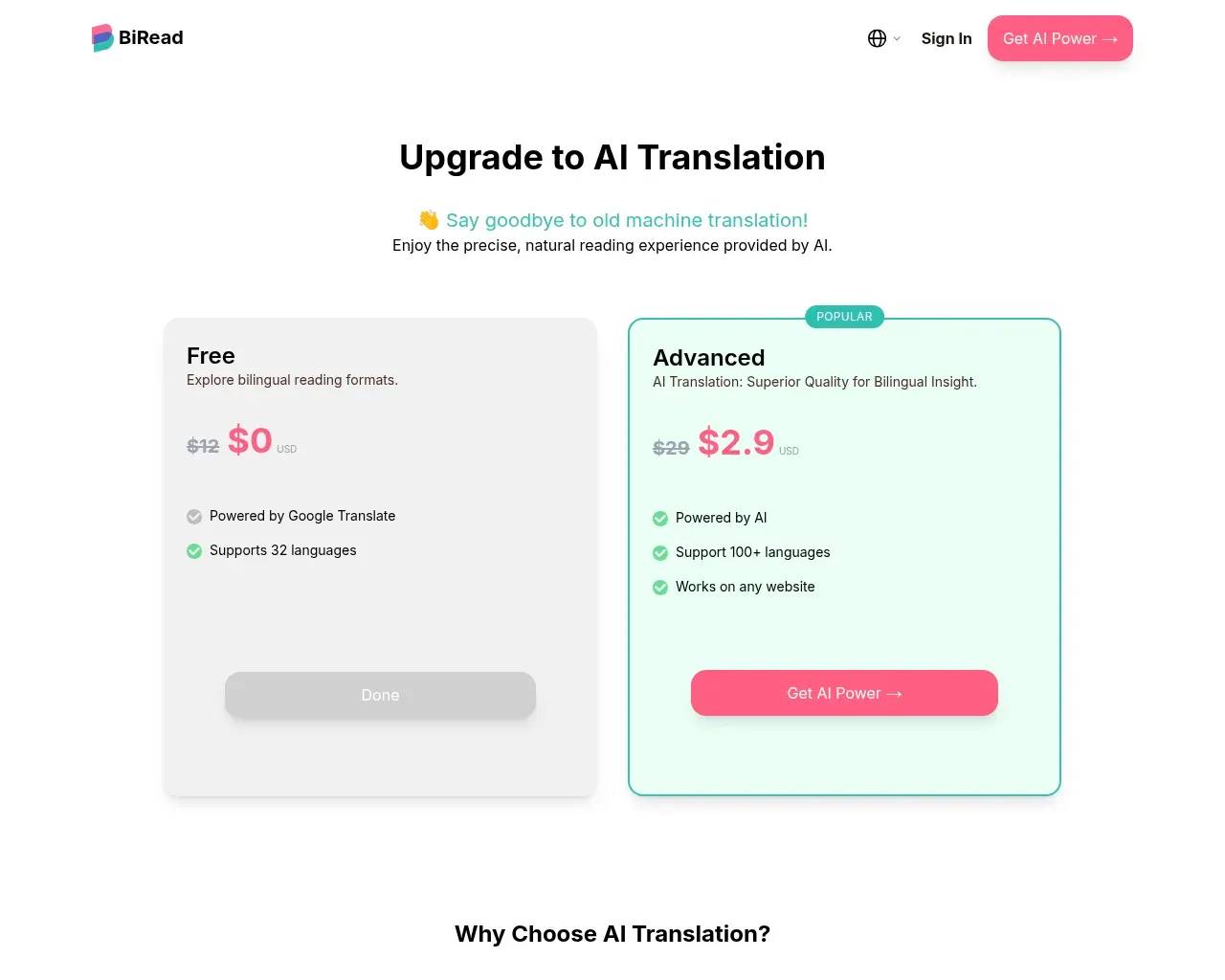
Two tiers, and the free one is genuinely usable. Free gives you bilingual reading powered by Google Translate across 32 languages — enough to learn the format and handle everyday pages. The Advanced plan unlocks the AI engine, 100+ languages, and any-site coverage. At the time of writing, the pricing page listed it at $2.9, marked down from $29; it doesn't spell out the billing period, so confirm that before you commit. The practical takeaway is simpler than the numbers: try the free tier first, and only move up if Google-Translate quality keeps tripping you on the languages you actually read.
Who gets the most out of it
Language learners are the obvious fit. The learning mode and the keep-the-original layout are built for the slow, deliberate reading that helps a new language stick. The second group is anyone who reads across languages as a matter of routine — researchers chasing a source, journalists following foreign-language coverage, people who watch a lot of subtitled video. If you only need the rough gist of a foreign page now and then, your browser's built-in full-page translation already covers that for free. BiRead earns its place when keeping both languages in view is the point, not a nuisance.
Worth weighing before you install
- It's Chrome-only. There's no Firefox or Safari build and no standalone app, so it's tied to desktop Chrome (and Chromium browsers that run Web Store extensions).
- The best parts sit behind the paywall. The free tier is Google-Translate quality at 32 languages; the AI engine, the 100+ languages, and any-site support are the paid tier.
- Quality isn't uniform. Users note the output can occasionally drop to generic machine-translation level, and that translation may lag on pages whose content changes quickly, depending on your connection.
- It's young and small. The Chrome Web Store shows roughly 6,000 users and a 5.0 rating from 57 reviews, off a quiet Show HN launch in mid-2024. That rating is real, but it's a small sample and a short track record, and the AI tier leans on a third-party model — all reasonable things to weigh before building a daily habit on it.
None of those are dealbreakers for the people it targets; they're the ordinary trade-offs of a focused, early-stage extension. The free tier means you can find out whether parallel reading fits how you work before paying anything.
A few questions buyers ask
Is BiRead free?
Yes, there's a free tier with bilingual reading via Google Translate across 32 languages. The AI engine and 100+ languages are part of the paid Advanced plan.
Do I actually need the paid plan?
Only if Google-Translate quality isn't cutting it for your languages, or you need one of the 100+ languages the free tier doesn't cover. For casual reading in common languages, the free tier may be enough.
Does it work outside Chrome?
No. BiRead ships as a Chrome Web Store extension, so you need Chrome or a Chromium-based browser that supports Web Store extensions.
Can it handle YouTube?
Yes — alongside webpage translation, it can display bilingual subtitles on YouTube.
Sources consulted
- BiRead homepage — what the tool does, learning mode, YouTube subtitles, supported languages
- BiRead pricing — free vs Advanced tiers, the Google-Translate-vs-AI idiom comparison, listed prices
- BiRead on the Chrome Web Store — independent install count (~6,000 users) and 5.0 rating from 57 reviews
- Chrome Web Store reviews — user themes: learning mode praise, plus quality and lag caveats
- Hacker News (Show HN, June 2024) — launch timing and early traction
- Wayback Machine snapshot — confirms the site live as of May 2026
Published on: June 23, 2026
Looking for alternatives to BiRead? See all BiRead alternatives →
Have an AI tool of your own? Submit it below and get a free, in-depth product review article — just like this one.
Add your AI tool in seconds
Paste your URL and we'll draft the listing. You review and edit every field before submitting.
More Product Reviews:
By: AI Collection