
Audio Enhancer Review: Fast, One-Click AI Audio Cleanup in the Browser
By: AI Collection
At a glance

Audio Enhancer
FreeBad audio sinks good content faster than almost anything else. A sharp script or a genuinely useful lecture still gets clicked away the moment it sounds like it was recorded inside a fish tank. AudioEnhancer.ai is built around that single frustration: drop in a noisy clip, pick a fix, download something cleaner — no DAW, no plugins, no install. It's a tool that goes wide rather than deep, and after working through its public tool pages, pricing, and the handful of third-party reviews that exist, here's an honest read on what it does well and where it gets slippery.
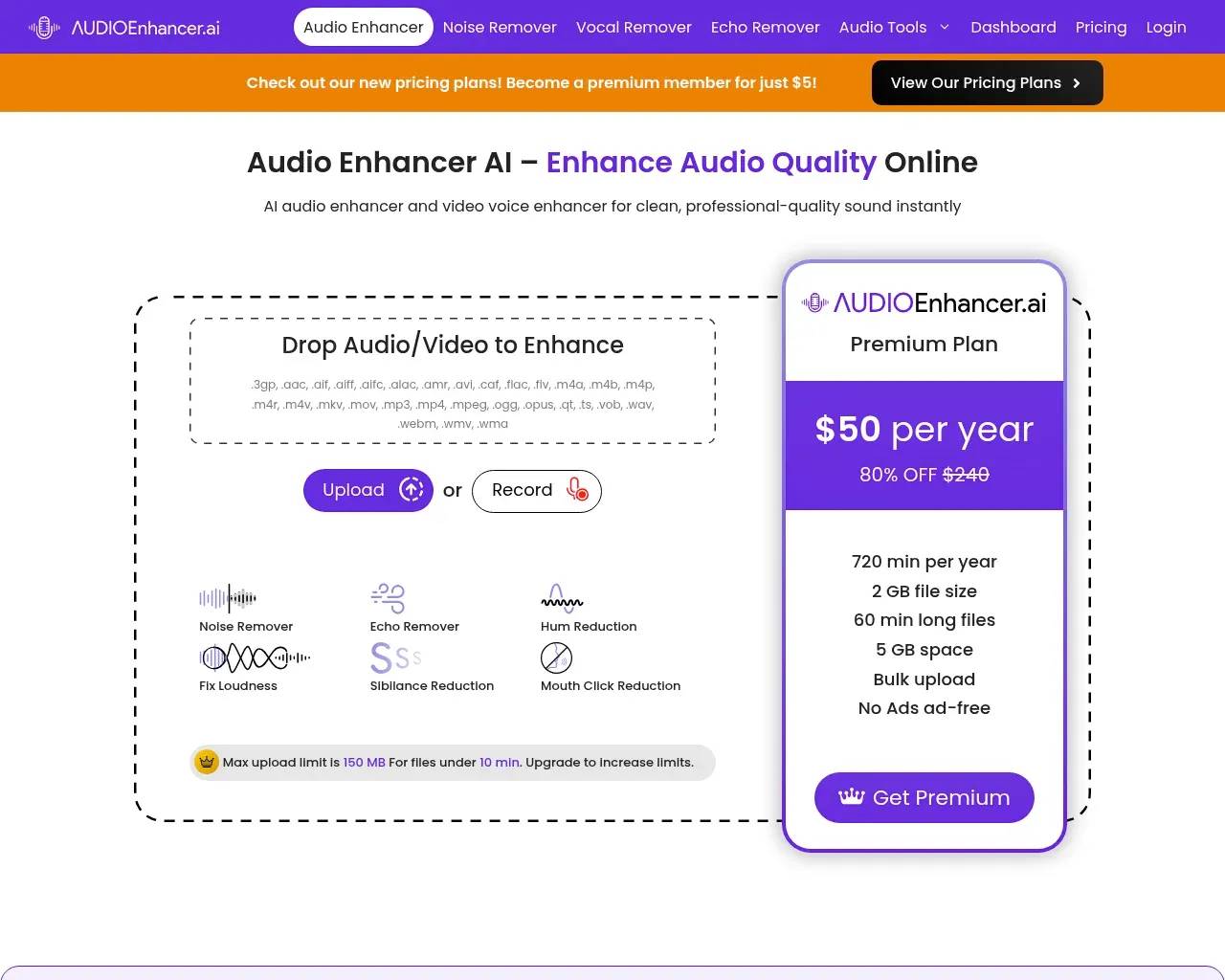
One upload, four fixes
The core enhancer is deliberately simple. Drag in an audio or video file — or record straight in the browser — and choose one of four preset modes: Clean Up Speech (which targets mouth clicks, plosives, and sibilance), Noise Reducer for steady background hiss, Fix Loudness for uneven levels, and a combined Noise/Echo Remover. There's no waveform to scrub or knobs to ride; the AI runs a single pass and hands back a finished file. You can export to a long list of formats — MP3, AAC, WAV, FLAC, ALAC, OGG, Opus, AMR — with control over bitrate and sample rate, which is more flexibility than most one-click cleaners bother offering.
Because it accepts video too (MP4, MOV, MKV, WebM, and others), it doubles as a quick fix for talking-head clips where the picture is fine but the sound isn't.
A wider toolbox than the name suggests
Calling it an "audio enhancer" undersells the menu. Alongside the main cleaner, the site bundles a Noise Remover, Vocal Remover, Echo Remover, and a Stem Splitter, plus a row of utilities: a BPM Finder, Voice Changer, Loudness Meter, Mic Test, an in-browser Audio Recorder, and an Audio File Analyzer.
The Stem Splitter is the most interesting of the bunch. It separates a track into vocals, drums, bass, guitar, piano, and remaining music — the kind of source separation musicians reach for when remixing, building karaoke tracks, or pulling a usable vocal out of a rough mix.
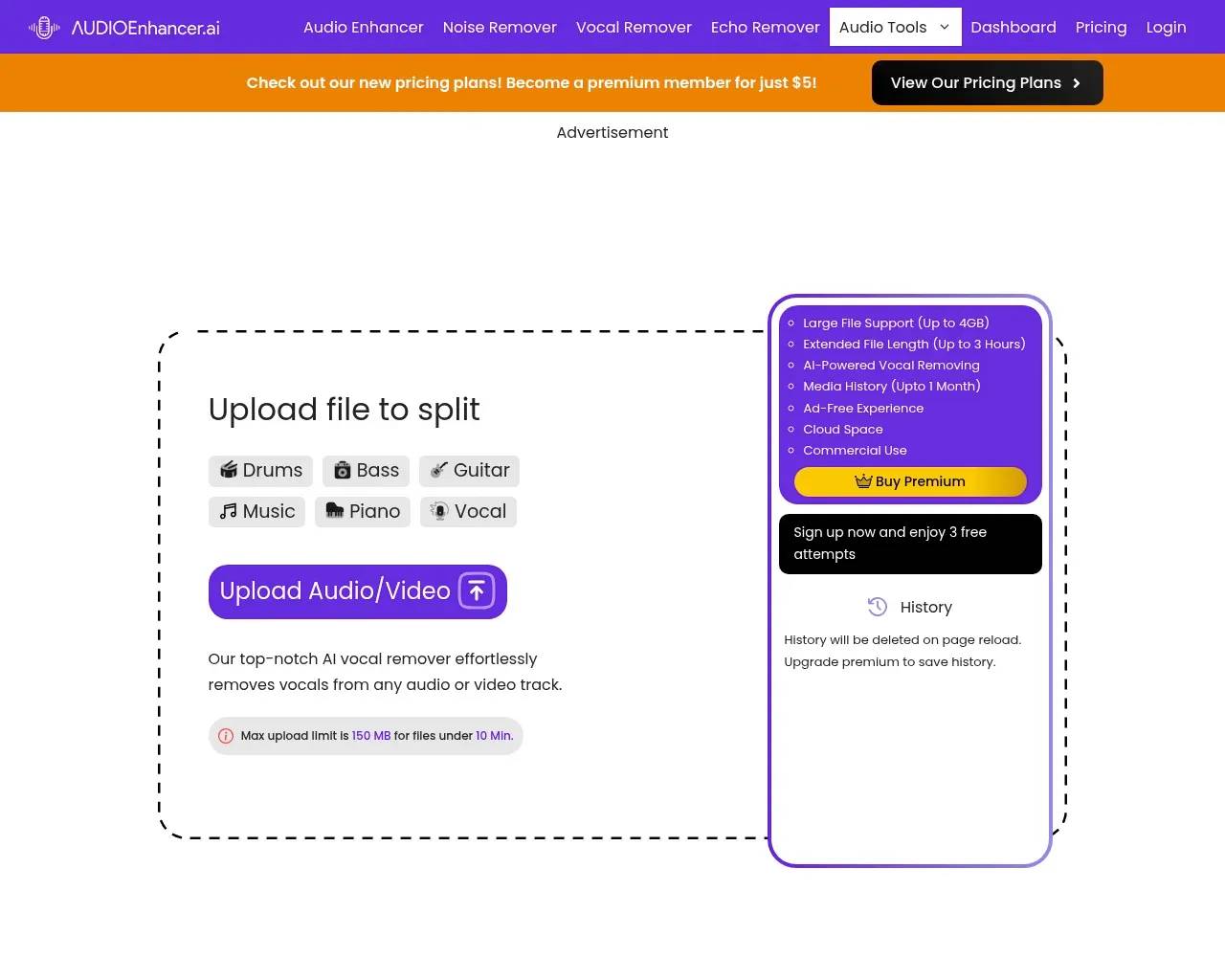
Most of these tools come with a free tier and caps. The Stem Splitter, for instance, gives three free attempts, and uploads across the site are limited to 150 MB and files under roughly ten minutes unless you upgrade.
What it costs
Pricing is organized into three tiers — Basic, Pro, and Studio — with a monthly/yearly toggle.
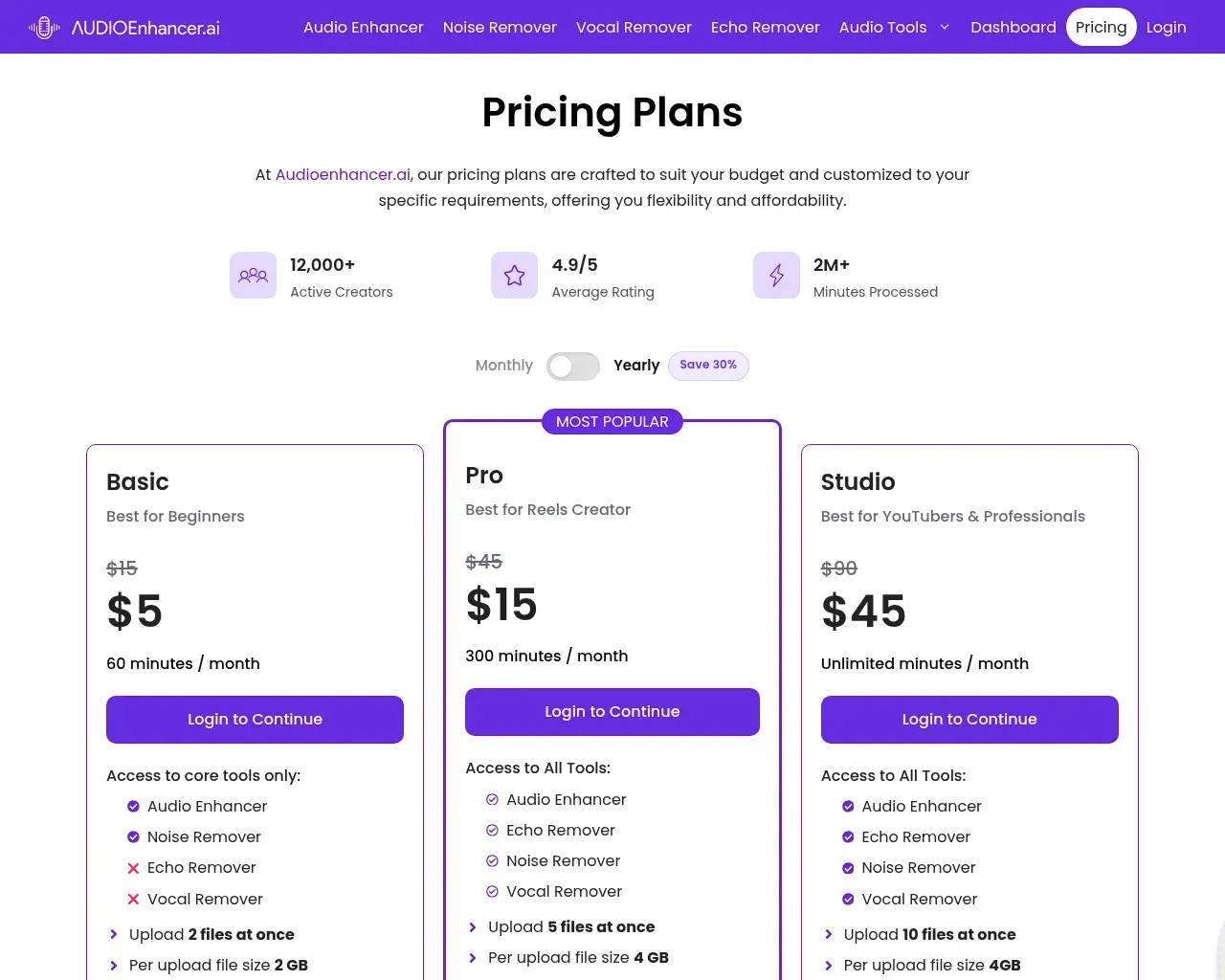
On the monthly plans, Basic lands at $5 (60 minutes a month, core tools only), Pro at $15 (300 minutes, all tools, larger files, and a mobile app), and Studio at $45 (unlimited minutes, the biggest files, and the most cloud storage). Billed yearly, the equivalents are cheaper — roughly $40, $120, and $360 a year. Paying also removes the ads and reCAPTCHA prompts the free version throws at you.
Here's the first thing to watch: the pricing story is messy. The homepage banner shouts "become a premium member for just $5," a separate homepage widget advertises a "$50 per year (80% OFF $240)" Premium plan, and the actual pricing page lists Basic at about $40 a year — three different numbers for what's nominally the same entry-level commitment, all wrapped in struck-through "original" prices. Nothing here is outright dishonest, but the constant discount-anchoring makes it genuinely hard to tell what you're signing up for.
Who it's for
This is a tool for speed, not surgery. Podcasters cleaning up a remote guest, short-form and social creators rescuing phone-recorded audio, students tidying a lecture recording, and musicians who want a fast stem split or BPM reading will get the most out of it. If you already live in a full editor like Audition, Reaper, or Descript, you have most of this with finer control — the appeal here is doing it in about thirty seconds inside a browser tab.
Where it gets murky
The honest caveats are less about the core function and more about the signals around it. A few things worth weighing before you pay:
- The numbers don't line up. The homepage cites a "4.8/5" rating with figures like "200+ reviews," while the pricing page claims "12,000+ active creators," a "4.9/5 average rating," and "2M+ minutes processed monthly." These are self-reported, inconsistent from page to page, and not tied to any external review platform you can verify.
- Thin independent footprint. There's no Hacker News discussion of the tool and no real Reddit thread about it; the third-party "reviews" that rank for its name are largely affiliate-style blog posts. Independent signal is genuinely sparse, so treat the glowing write-ups with the usual caution.
- Light on transparency. The About page introduces a "team" of a marketing director, a UI designer, and SEO staff — but names no audio engineer, ML lead, or founder, and nowhere does the site say which models power the enhancement. For a product whose entire pitch is audio quality, that's a notable gap.
- It's a single-pass cleaner, not an editor. Third-party reviewers who tested it note limited multitrack control compared with a full DAW, and that the browser tab needs to stay open while larger files process. Set expectations at "good enough, fast," not granular restoration.
To its credit, those same outside reviews generally found the speech cleanup competitive with the obvious free benchmark — Adobe Podcast's Enhance Speech — and easier to approach than desktop suites, so the underlying processing appears to do its job.
Quick FAQ
Is there a free version? Yes. You can enhance audio and use most tools without paying, but you'll hit caps (150 MB uploads, roughly ten-minute files, limited attempts) and see ads plus reCAPTCHA.
Does it work on video? Yes — it accepts common video formats and cleans the audio track, which is handy for talking-head clips.
Can it separate vocals from a song? Yes, via the Stem Splitter, which breaks a track into vocals, drums, bass, guitar, and piano.
Sources consulted
- AudioEnhancer.ai homepage — core feature set, the four enhancement modes, free-tier limits, and the conflicting promotional pricing.
- AudioEnhancer.ai pricing page — the Basic/Pro/Studio tiers, monthly vs. yearly rates, and the self-reported usage stats.
- AudioEnhancer.ai Stem Splitter — stem-separation capability and free-attempt limits.
- About AudioEnhancer.ai — company location, contact, and the listed team roles.
- Hacker News (Algolia search) — checked for independent discussion; nothing specific to the tool surfaced.
- fenced.ai — AudioEnhancer.ai review — a representative third-party review comparing it to Adobe Podcast and noting multitrack limitations.
Published on: June 15, 2026
Looking for alternatives to Audio Enhancer? See all Audio Enhancer alternatives →
Have an AI tool of your own? Submit it below and get a free, in-depth product review article — just like this one.
Add your AI tool in seconds
Paste your URL and we'll draft the listing. You review and edit every field before submitting.
More Product Reviews:

By: AI Collection